Click to go to:
Introduction
A Renewal Transfer occurs when changing insurers at renewal. Renew the policy as you would normally (see article Create a Renewal or Renewal Invitation). Once in the Renewal wizard's Policy Summary page, use the Insurer field to change insurers - this updates the wizard from Renewal to Renewal Transfer.
Renewal Transfer Wizard
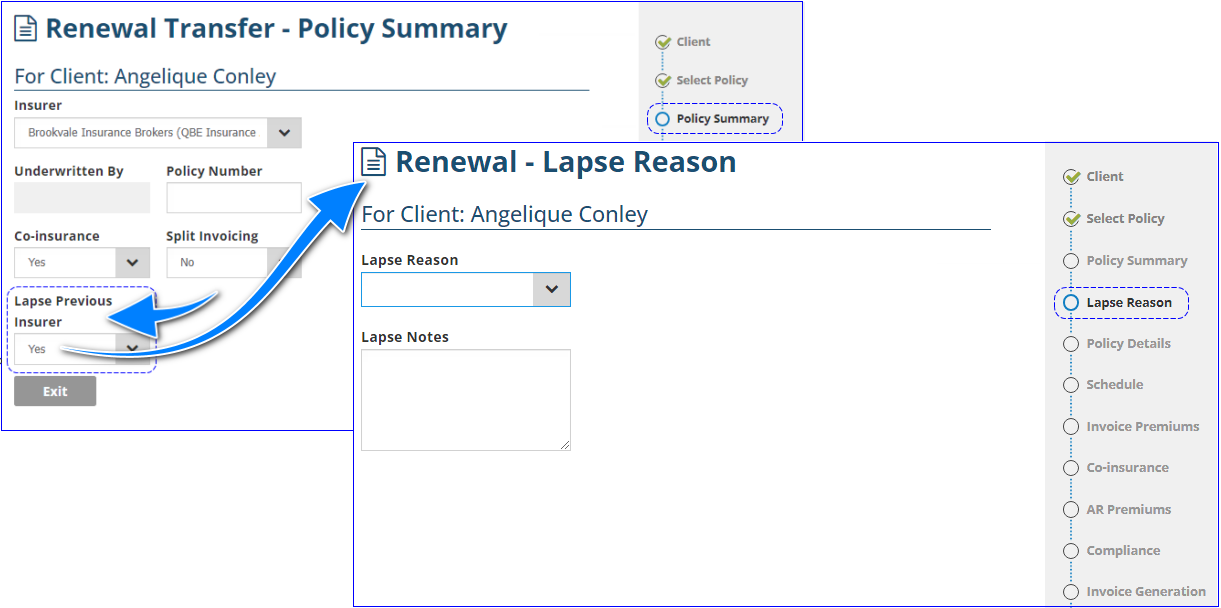
Once updated to a Renewal Transfer wizard, an additional field is added to the Policy Summary page. At the bottom of the page, you'll find the Lapse Previous Insurer field with the following options:
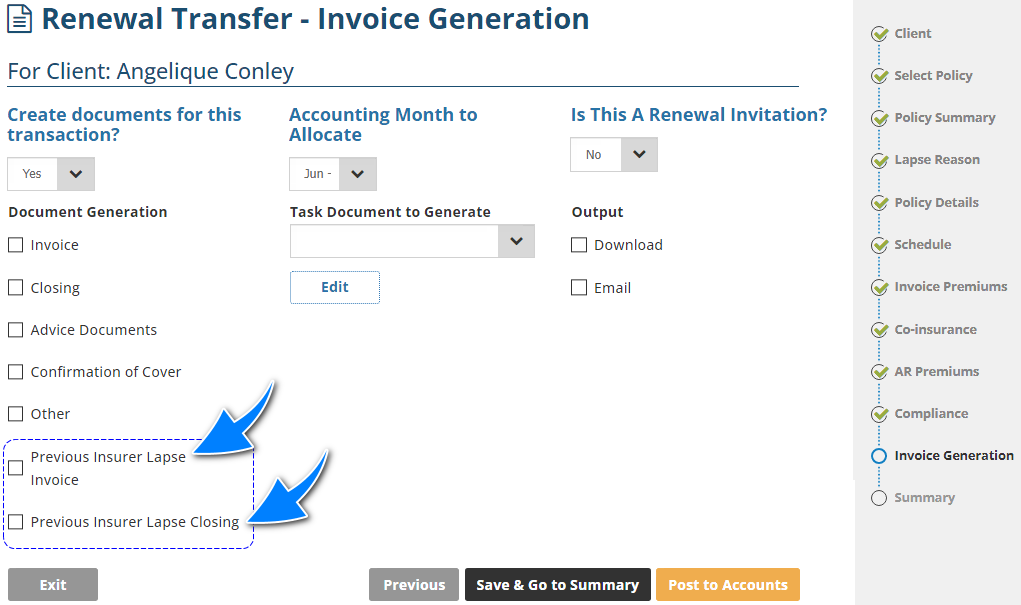
- Yes - Adds a Lapse Reason page to the wizard and lapses the previous policy. Also, adds an option to send lapse documentation to the previous insurer found on the Invoice Generation page.
- No - remains a Renewal Transfer wizard but does not make any changes to the previous policy. You will need to manually locate the previous policy to lapse it and send documentation to the previous insurer.
Was this article helpful?
That’s Great!
Thank you for your feedback
Sorry! We couldn't be helpful
Thank you for your feedback
Feedback sent
We appreciate your effort and will try to fix the article