Click to go to:
Introduction
To reverse a transaction, the following conditions must be met:
 | Must have a Manual interface. |
 | Must be unpaid. |
 | No documents have been sent to the client and insurer. |
 | Only available for New Business, Endorsement and Renewal transactions. |
The purpose of reversing is typically when a transaction was posted to accounts with the wrong information. For example, the wrong insurer, premiums, client, or perhaps a renewal was issued instead of a renewal invitation. Completing a reverse will revert the transaction to its prior state (ie: ready for renewal), reverse its premiums and provide an audit trail in the policy's history.
NOTE: If documents have been sent to the client & insurer, complete an Amend instead of a Reverse. An Amend will provide you with the replacement documentation, as well as reverse & replace the transaction in one wizard.
How to Initiate a Reverse
 | Policy Transaction level | Select Menu, then Reverse. | 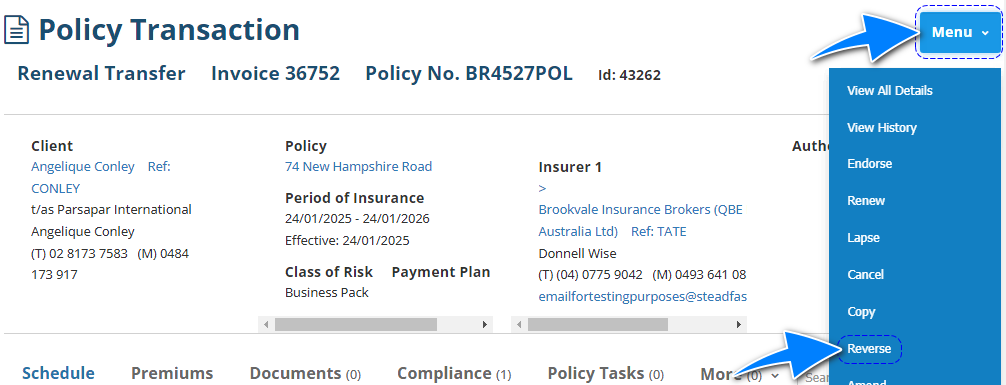 |
 | Transaction wizard | When applicable, the wizard includes the Reverse Transaction option in the What's Next button of the Summary page. | 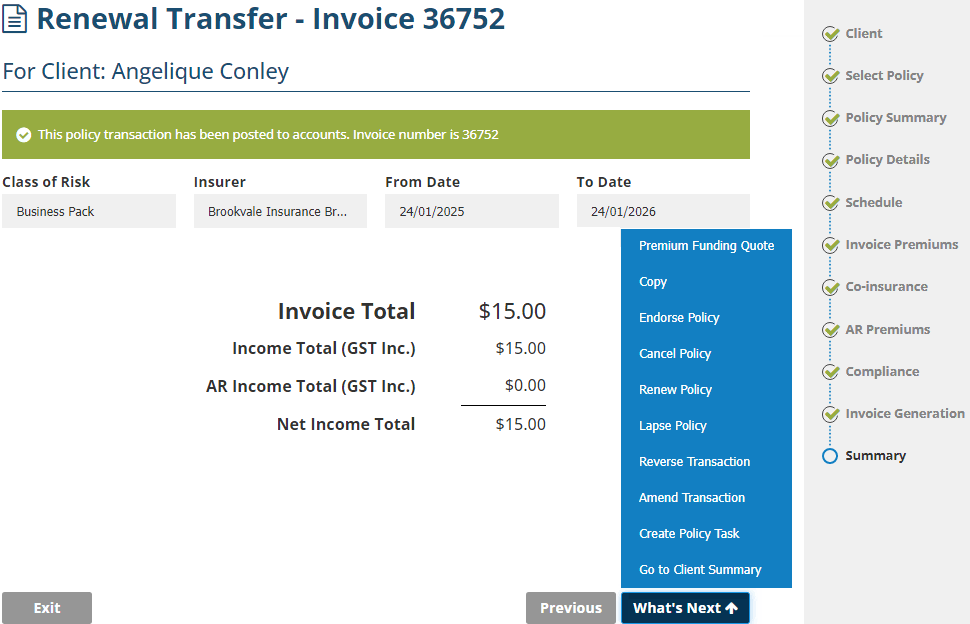 |
Reverse Policy Wizard
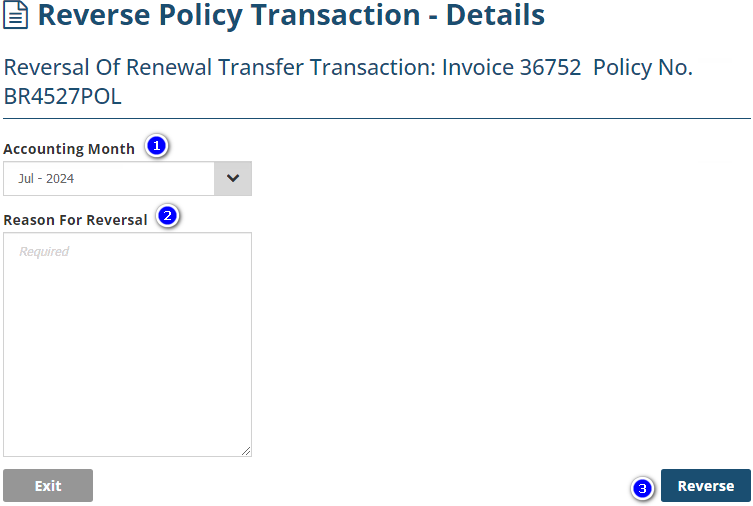
There is only one page in the Reverse Policy wizard:
1. Accounting Month- The month displayed will default to the current calendar month. Generally, the reversal is posted the same month as the original transaction. However, check your business rules & procedures before reversing.
2. Reason for Reversal - Used to record further information regarding the reason for the reversal - this is a mandatory field and can only be viewed in the wizard.
3. Reverse - Selecting this will reverse the transaction. Ensure that you're ready to reverse when you select Reverse as you cannot “reverse a reversal”.
Viewing the Audit Trail
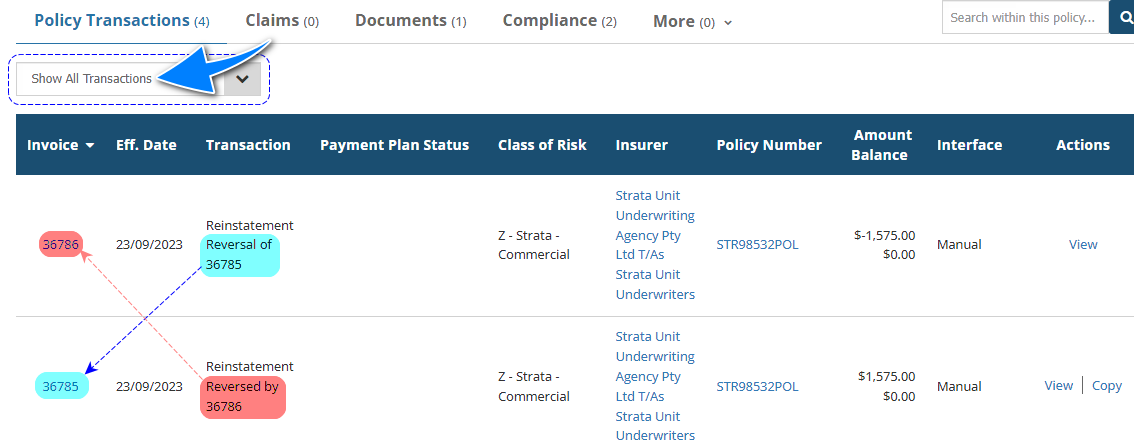
When viewing a client's or policy's list of transactions, use the "Show All Transactions" filter to see the reversal's audit trail.
Was this article helpful?
That’s Great!
Thank you for your feedback
Sorry! We couldn't be helpful
Thank you for your feedback
Feedback sent
We appreciate your effort and will try to fix the article