Click to go to:
Introduction
To copy a transaction, the following conditions must be met:
 | Must have a Manual interface. |
 | Unable to copy from a Lapse or Cancel transaction. |
This function enables you to copy and create a new transaction on a different client record or create another transaction on the same client. This means you won’t need to rekey schedules, as the function copies the transaction wizard's contents in its entirety. If needed, you can make any changes to the new "copied" version.
The new transaction type created is based on the transaction type you are copying from – please see the table:
| Transaction Type | Policy State | Copy to Another Client | New Policy | New Transaction Type |
| New Business | Any | Yes or No | Yes | New Business |
| Endorsement | Current | No | No | Endorsement |
| Endorsement | Current | Yes | Yes | New Business |
| Endorsement | Not Current | Yes or No | Yes | New Business |
| Renewal | Current | No | No | Renewal |
| Renewal | Current | Yes | No | New Business |
| Renewal | Not Current | Yes or No | Yes | New Business |
How to Initiate a Copy
 | Client or Policy level | Locate the transaction & from its Actions, choose Copy. | 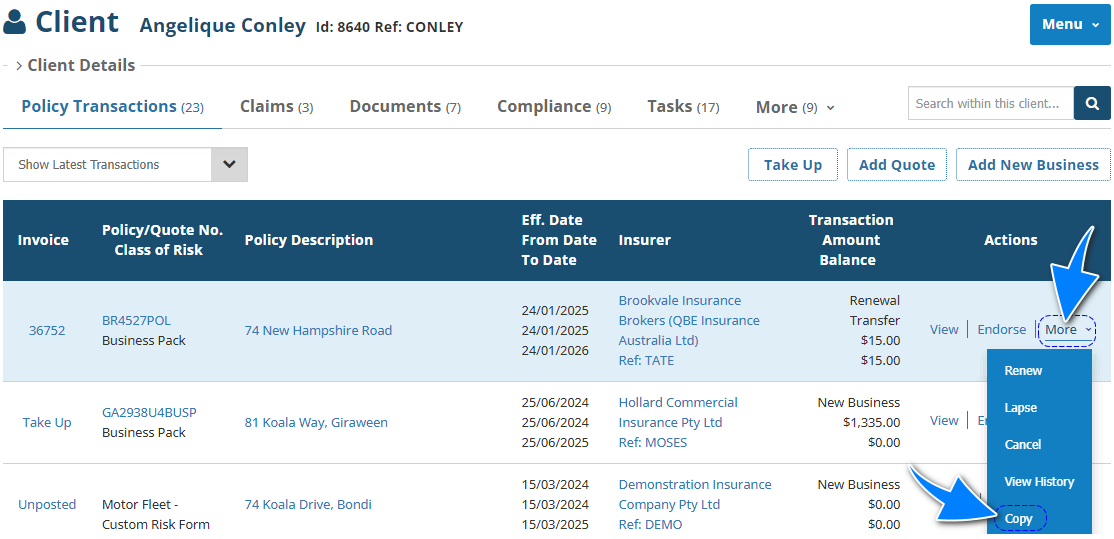 |
 | Policy Transaction level | Select Menu, then Copy. | 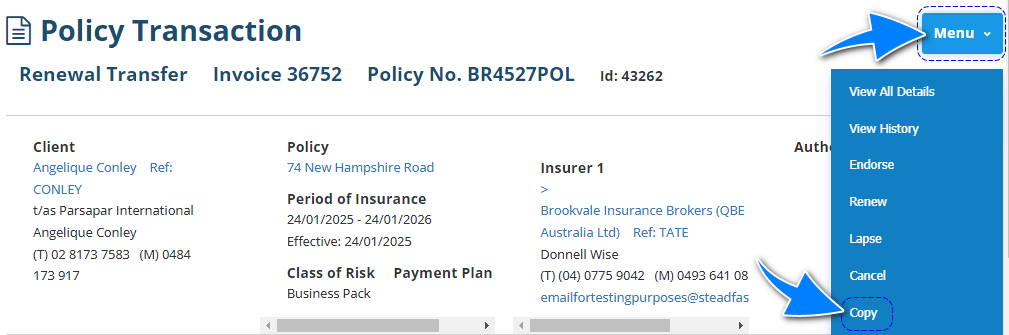 |
 | Transaction wizard | When applicable, the wizard includes the Copy option in the What's Next button of the Summary page. | 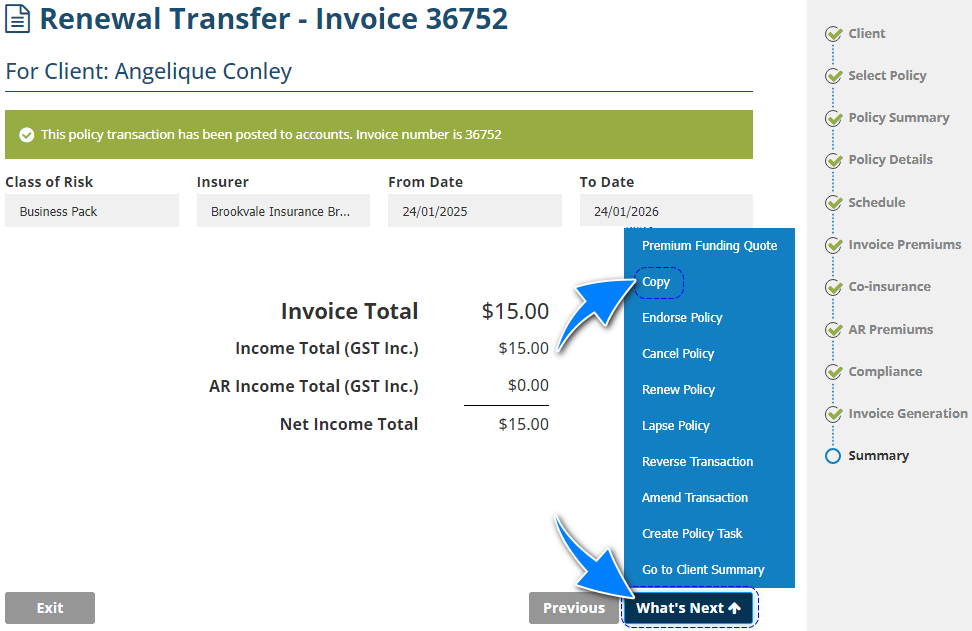 |
Copy Wizard
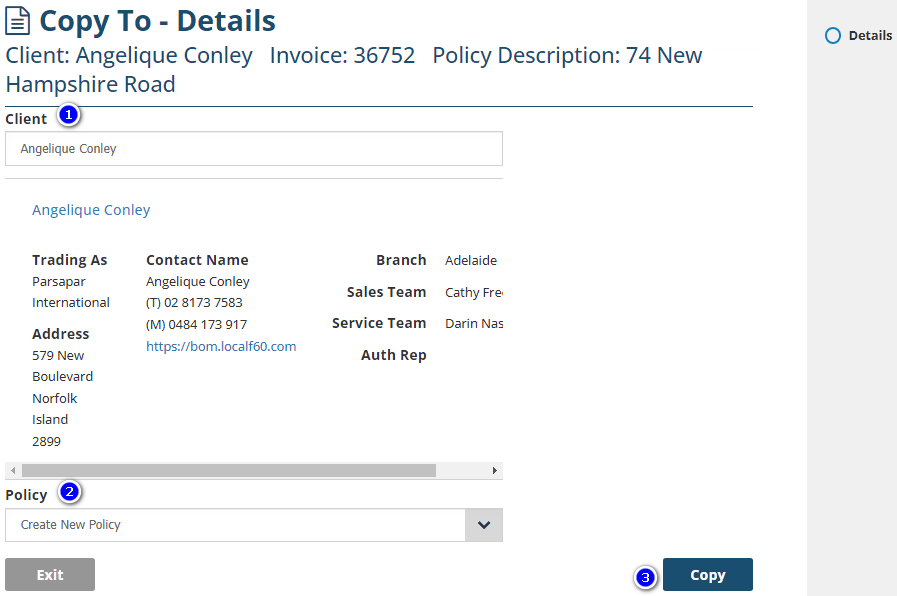
There is only one page in the Copy wizard:
1. Client - By default, the current client's name will be displayed in this field. However, you can enter another client's name and select from the matches INSIGHT finds. The client name in this field will be the client the transaction is copied to.
2. Policy - The options displayed here are determined by the type of transaction you're copying from. Refer to the table in the Introduction.
3. Copy - Selecting this copies the information into the respective transaction wizard for the chosen client. After you select Copy, complete the transaction wizard as normal.
Was this article helpful?
That’s Great!
Thank you for your feedback
Sorry! We couldn't be helpful
Thank you for your feedback
Feedback sent
We appreciate your effort and will try to fix the article