Click to go to:
Introduction
Maintaining quotes in SCTP involves the following actions:
 | Quote Lost - this applies to quotes clients do not proceed with so that quotes are not left in an "open" state. |
 | Bind Quote - this applies to quotes clients want to proceed with; doing this allows you to invoice the transaction in INSIGHT. |
Quote Lost
 | Locate the quotation by using the search bar or the client's transaction list. |
 | From Actions, select Edit - this takes you straight into the wizard. |
 | Navigate to the SCTP page, select Launch SCTP. |
 | Once in SCTP, select Quote Lost and Ok to the confirmation message.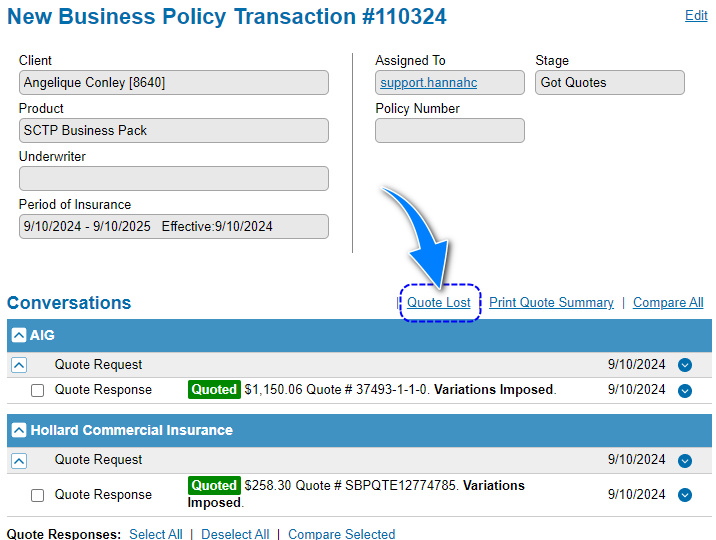 |
 | Select Done to return to INSIGHT - a record of the quotation will remain in SCTP and you can use SCTP's Copy Quote Request function to use the quote form answers in a different quote.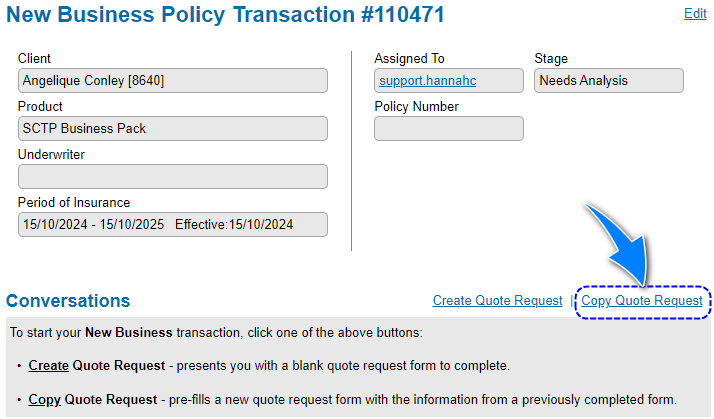 |
 | Once in INSIGHT, you have 2 options:
|
Bind Quote
 | Locate the quotation and from Actions, select Bind Quote - this takes you straight into SCTP.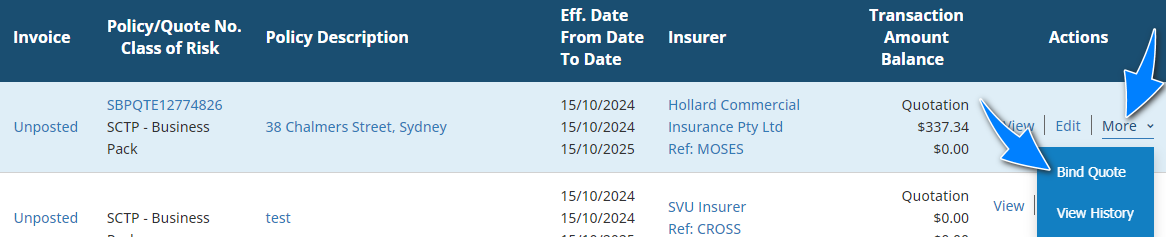 |
 | Locate the Quote Response you want to proceed with, from Actions, select Bind and Send.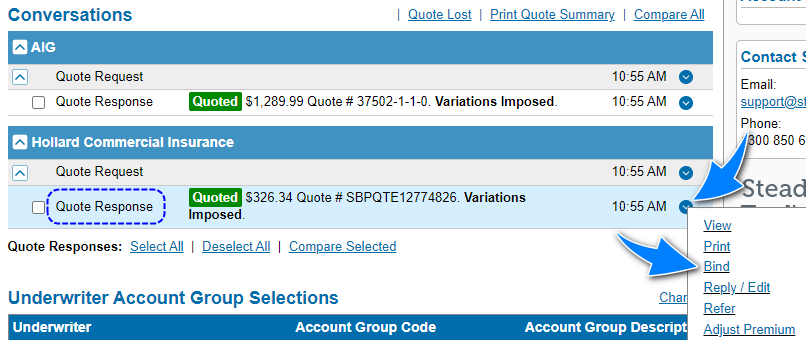 |
 | Select Done to return to INSIGHT and complete the wizard. |
RELATED ARTICLES:

Searching in INSIGHT
Create a Quotation
Convert a Quotation to New Business (Manual/SCTP/Sunrise)
Common Transaction Wizard page - Policy Summary
Common Transaction Wizard Page - Schedule
Common Transaction Wizard Page - Invoice Premiums
Was this article helpful?
That’s Great!
Thank you for your feedback
Sorry! We couldn't be helpful
Thank you for your feedback
Feedback sent
We appreciate your effort and will try to fix the article