Click to go to:
Introduction
The Split Invoicing function enables you to split an invoice across multiple clients. Once activated within INSIGHT, multiple clients can be invoiced individually for payment for a single policy.
Key Features
 | Ability to process a policy that contains multiple clients who need to be invoiced separately. |
 | Seamless integration via the Policy Processing wizard once you have selected Split Invoicing on the Policy Summary Page. |
 | Ability to Auto Allocate across multiple clients. |
 | Tracking and reconciliation of individual payments. |
 | Additional filters for the Renewal, Debtors Ageing Schedule, and Client Master List reports. |
 | The Client Statement modified to generate at Co-Client level. |
IMPORTANT: A comprehensive User Guide on Split Invoicing is available on INSIGHT Online Help’s home page
Initiating a Split Invoice
You can initiate a new Split Invoice policy through a New Business or Renewal transaction.
Enter information as per normal in the Policy Summary page of the wizard. At the bottom of the page, locate the Split Invoicing field and select Yes - this will add the Split Invoicing page and its features.
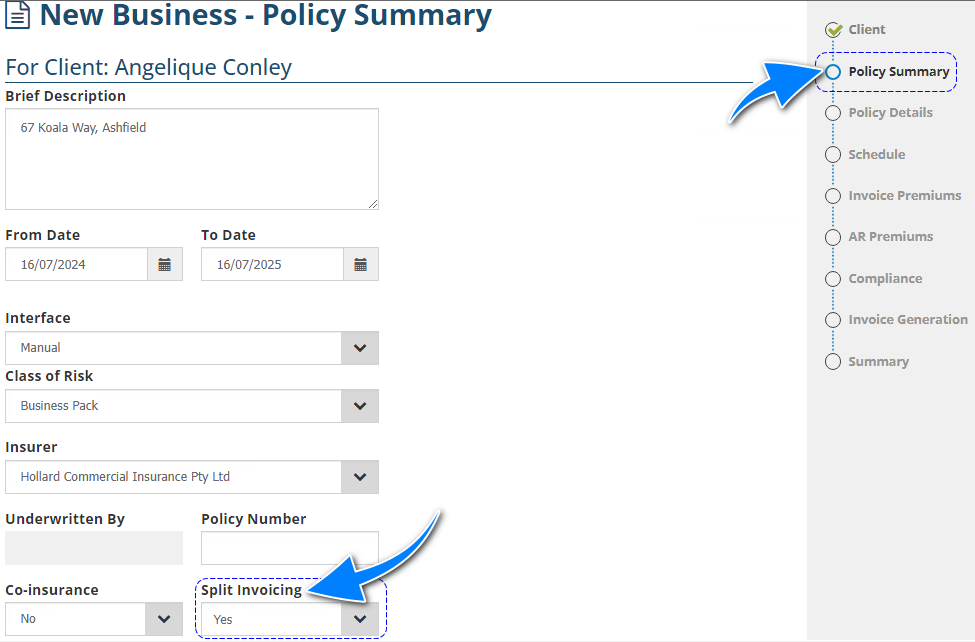
Transaction Wizard
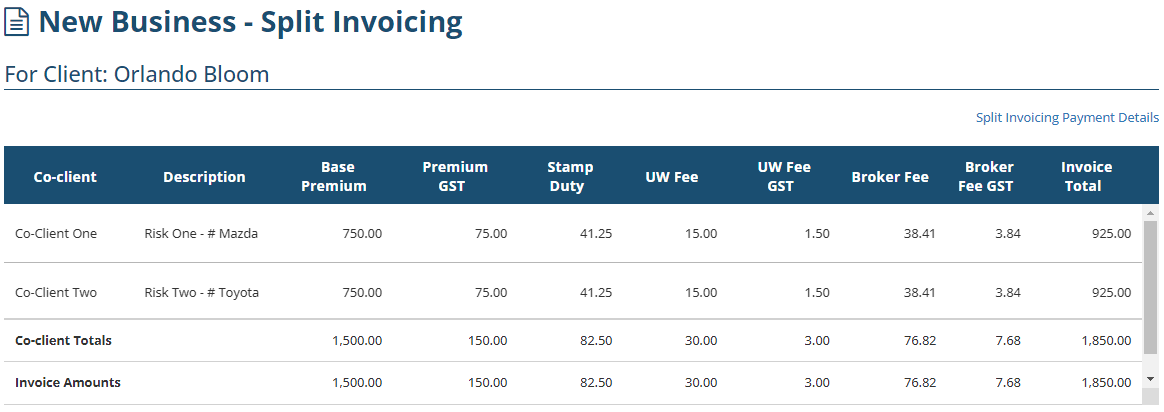
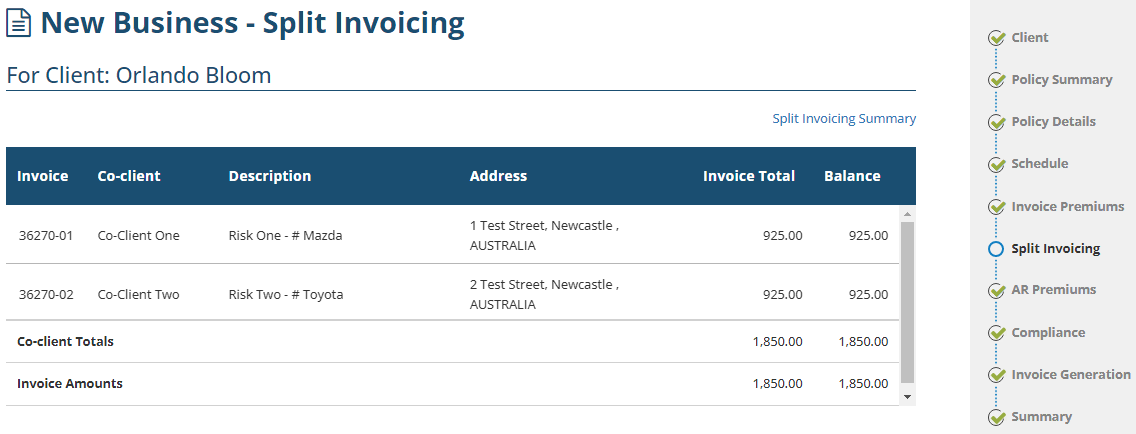
When Split Invoicing is enabled, the Split Invoicing page allows you to add and auto-allocate across multiple clients. It can also be used to track the receipting for each client.
Was this article helpful?
That’s Great!
Thank you for your feedback
Sorry! We couldn't be helpful
Thank you for your feedback
Feedback sent
We appreciate your effort and will try to fix the article