Click to go to:
Introduction
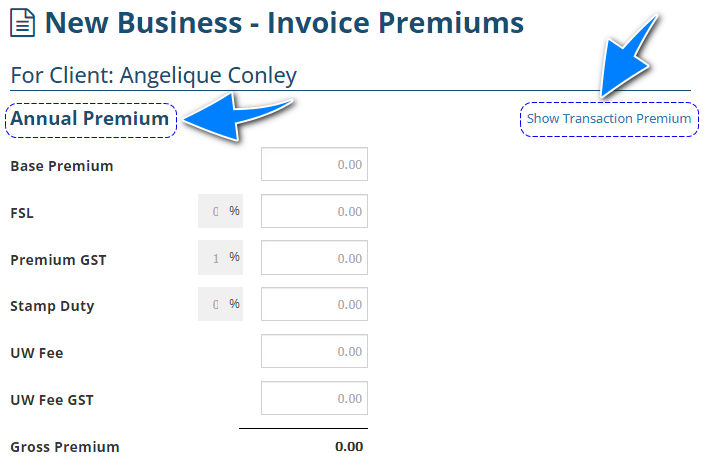
The default display on the Invoice Premium Page is Transaction Premium. For FAP, a link displays Show Annual Premium in the upper right corner of the page. Remember that this link only displays for MANUAL policies and for policies where the period of insurance is NOT EQUAL to one year. | 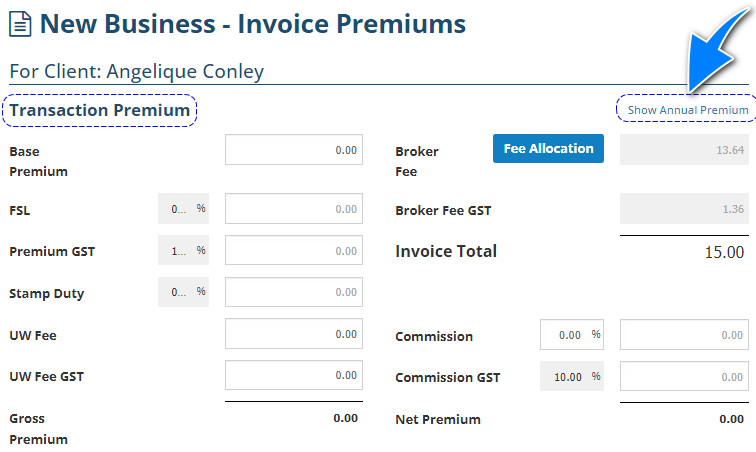 |
 |
|
New Business
 | If the premiums are entered in the Annual Premium Screen, they will auto-populate and calculate into the Transaction Premium Screen. |
 | If the premiums are entered in the Transaction Premium Screen they will auto-populate and calculate into the Annual Premium Screen. |
 | The auto-populate and calculate functions apply only to Base Premium, FSL, Stamp Duty, and Underwriter Fee. |
Endorsement
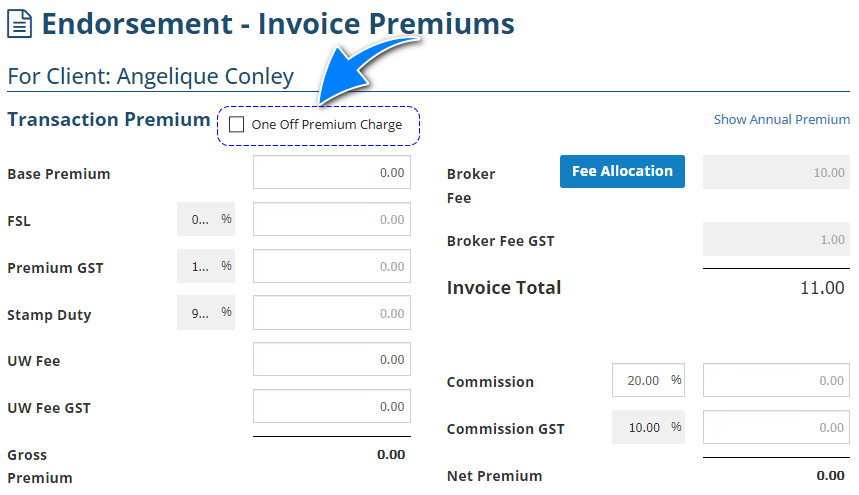
 | The Invoice Premiums page will display in the same way as the New Business Invoice Premiums page. |
 | Annual Premiums are pre-populated using the Annual Premiums from the LATEST transaction. |
 | Any premium changes in the Annual Premium screen will automatically populate and calculate into the Transaction Premium screen, and vice versa. |
 | For Endorsement transactions only, there is a One Off Premium Charge checkbox displayed. When the checkbox is ticked, the relationship (and auto-calculation) between the Transaction Premium and Annual Premium will be removed. For example, in an Endorsement, the broker can enter a $500 Transaction Premium but update the Annual Premium to $2000. Subsequent Endorsements and Renewals would be based on the new Annual Premium and not the last Transaction Premium. |
Renewal
 | The Invoice Premiums page will display for Renewal transactions as per the New Business wizard. |
 | When renewing a manual policy, Annual Premiums are pre-populated using the Annual Premium of the latest transaction. |
 | Any premium changes in the Annual Premium screen will automatically populate and calculate into the Transaction Premium screen, and vice versa. |
Cancellation
The Future Annual Premium functionality is NOT available for Cancellation transactions.
Annualised Gross Premium
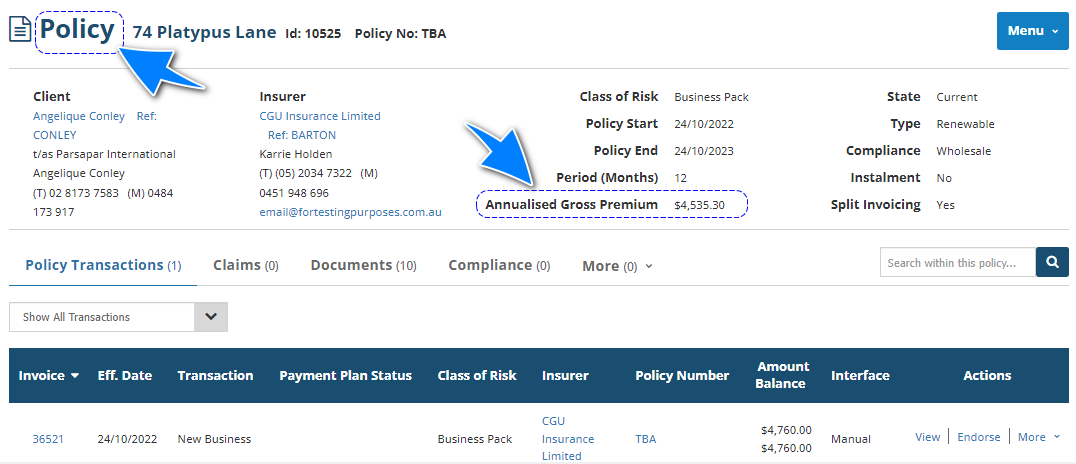
 | Located at the Policy level. |
 | Calculated regardless of whether FAP is activated. |
 | Equal to the Gross Premium from the Annual Premium page for the latest policy transaction of the Policy. |
Invoicing & Accounting
Future Annual Premium is only used in Policy Processing for information and policy calculation purposes. When calculating or displaying invoice amounts, the Transaction Premium is ALWAYS used, not the Future Annual Premium.
Was this article helpful?
That’s Great!
Thank you for your feedback
Sorry! We couldn't be helpful
Thank you for your feedback
Feedback sent
We appreciate your effort and will try to fix the article