 The Misc Creditors page is made up of the following sections. Select the section names below for more information:

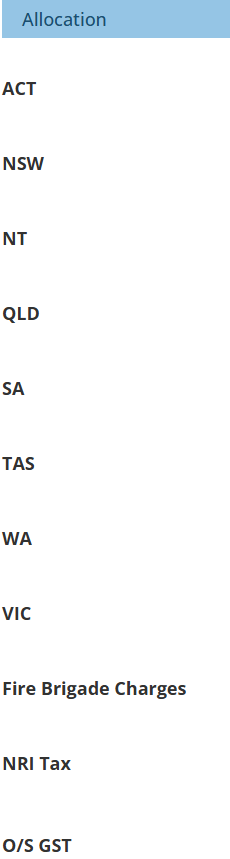 | 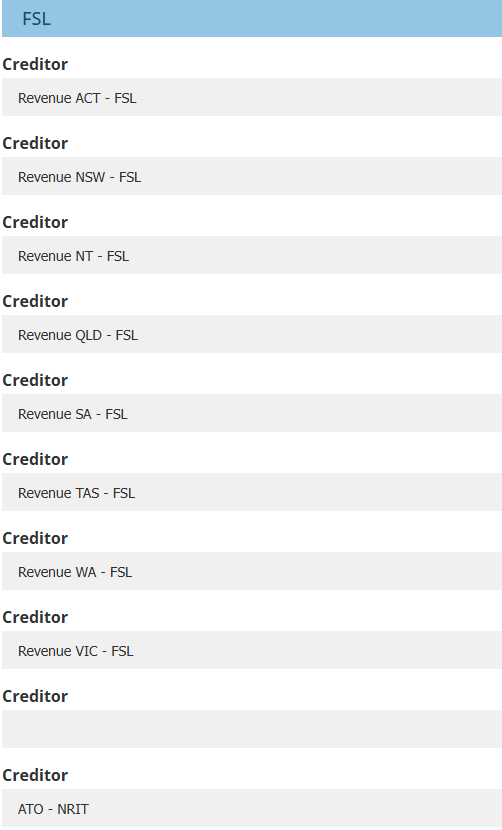  | 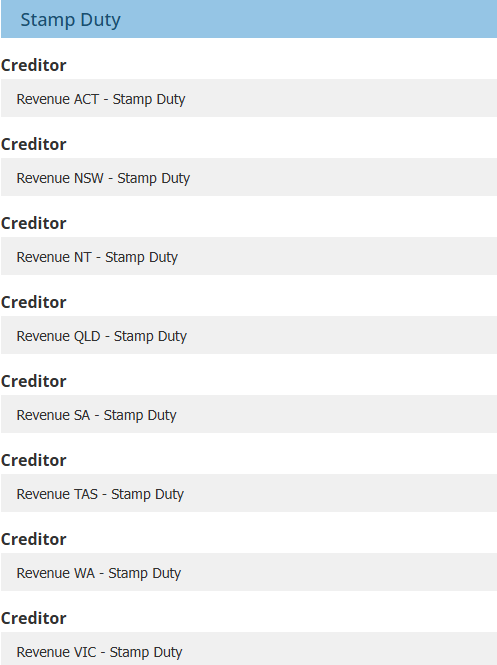 |
This page is included in Ledger settings when Non-Resident Insurer Tax (NRIT) is enabled. It is necessary to the feature's setup as it identifies which "insurer" profile the levies are allocated to for accounting purposes. The three different headings, Allocation, FSL & Stamp Duty, work as column headers for a "table":
 | Allocation - presents the different Australian states and other misc creditors. |
 | FSL - depending on your setup, choose the matching state and levy combination or the matching levy. |
 | Stamp Duty - depending on your setup, choose the matching state and levy |
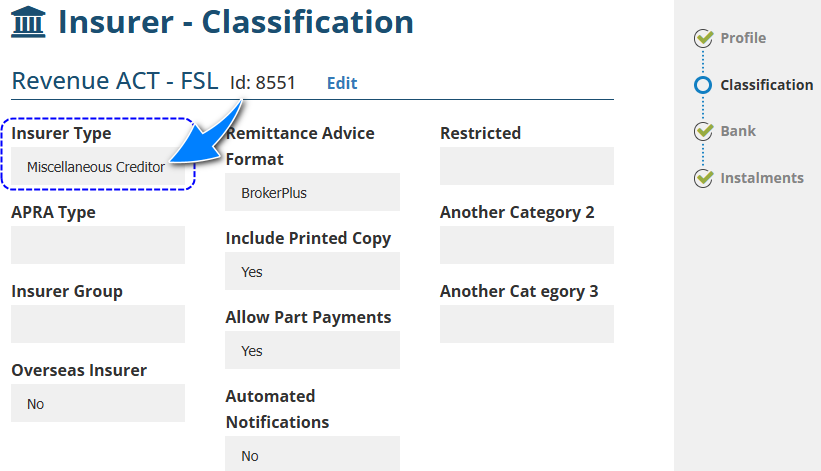
QUICK TIP: The options available for the dropdown selections on this page are all Insurer profiles with the Insurer Type as Miscellaneous Creditors. Regular Insurer profiles using Insurer as the Insurer Type will not be included in this selection.
Was this article helpful?
That’s Great!
Thank you for your feedback
Sorry! We couldn't be helpful
Thank you for your feedback
Feedback sent
We appreciate your effort and will try to fix the article