Click to go to:
Introduction
On the Classification page of an Insurer entity, you'll find the Insurer Type field. Your selection in this field defines how the insurer is used in INSIGHT, for example, it can be used to trigger certain functionality such as NRIT or Supporting Insurers.
The options are:
| Insurer | Underwriter | |
| UW Agency | Miscellaneous Creditor | |
| Wholesale broker |
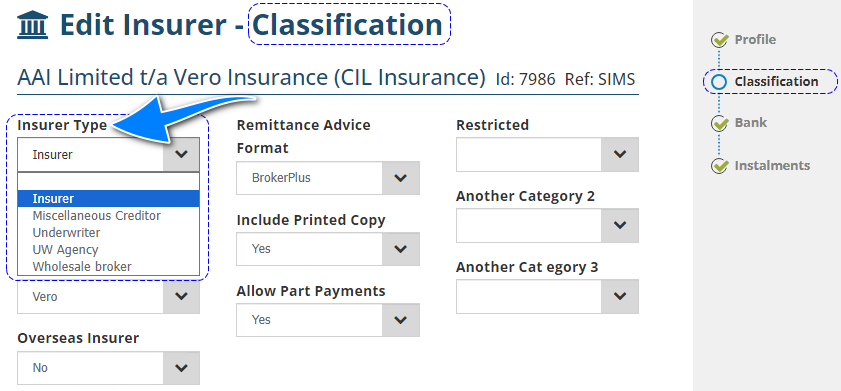
This article clarifies each option so that you make the correct selection for the insurer.
 IMPORTANT: Please keep in mind that despite the "real-world definitions" of these terms, this article explains what these terms mean in connection to INSIGHT functionality.
Insurer
Using this Insurer Type will make the insurer available in the Insurer dropdown selection in the Transaction Wizards. | 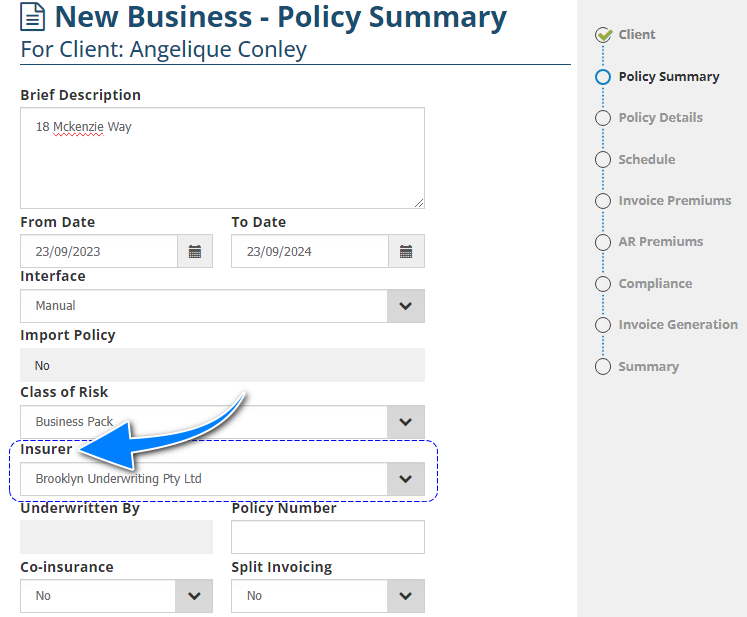 |
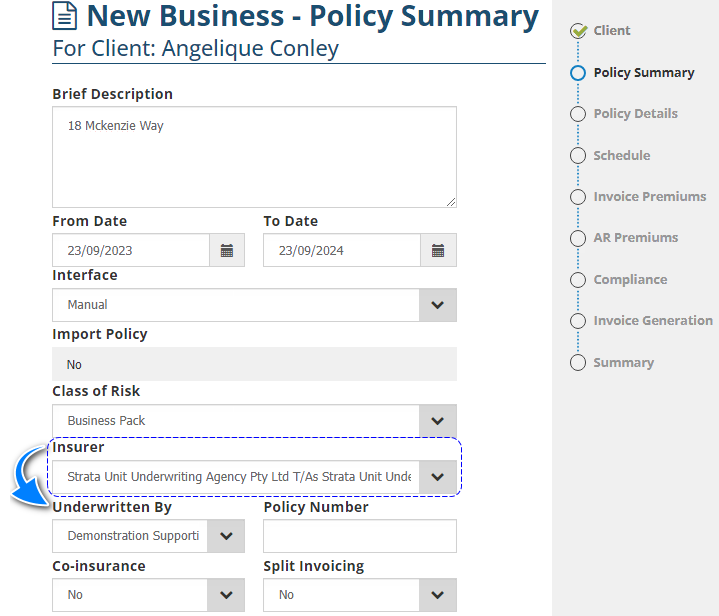
UW Agency & Wholesale Broker
Using these Insurer Types will make the insurer available in the Insurer dropdown selection in the Transaction Wizards and will trigger the display of the Underwritten By field.
Underwriter
Using this Insurer Type will make the insurer available in the Underwritten By dropdown selection in the Transaction Wizards. There is NO need to add classes of risk to this Insurer Type as it functions as a “Supporting Insurer”. The transaction will use the class of risk linked to the UW Agency or Wholesale broker selected in the Insurer field.
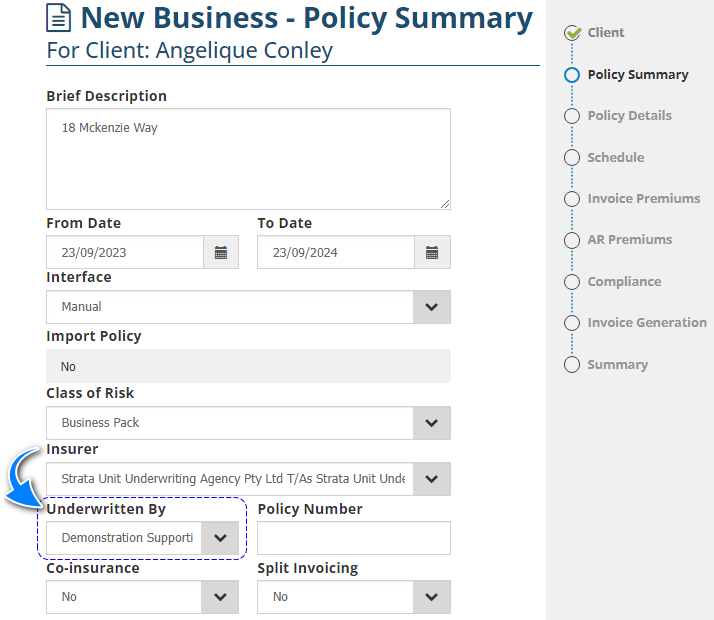
The selection made in the Underwritten By field can be made to display in the invoice:
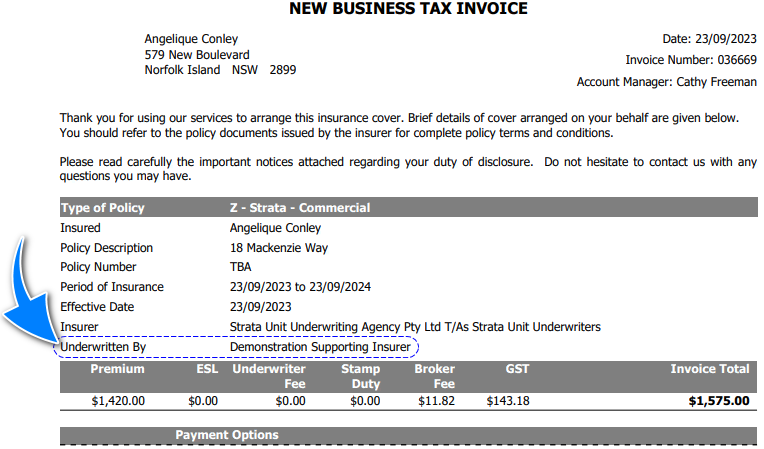
NOTE: An insurer cannot be both an Underwriter and an Insurer. If you want to have an Insurer as both a standard Insurer and a Supporting Insurer you will need to create two separate Insurer entities and set each with the appropriate Insurer Type.
Miscellaneous Creditor
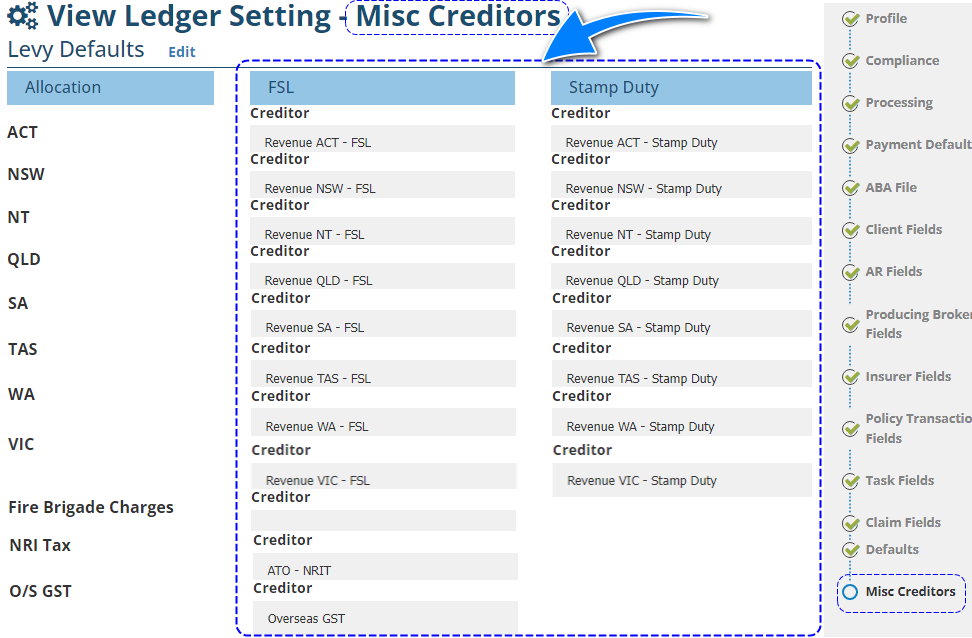
Using this Insurer Type will make the insurer available in the Creditor dropdown selection in the Misc Creditors step of Ledger settings. There is NO need to add classes of risk to this Insurer Type as it functions to allow the collection of levies (FSL, Stamp Duty, GST, Fire Brigade Charges) when an Overseas (NRIT) Insurer is used on the transaction.
Was this article helpful?
That’s Great!
Thank you for your feedback
Sorry! We couldn't be helpful
Thank you for your feedback
Feedback sent
We appreciate your effort and will try to fix the article