Click to go to:
How to Initiate a Reinstatement
Introduction
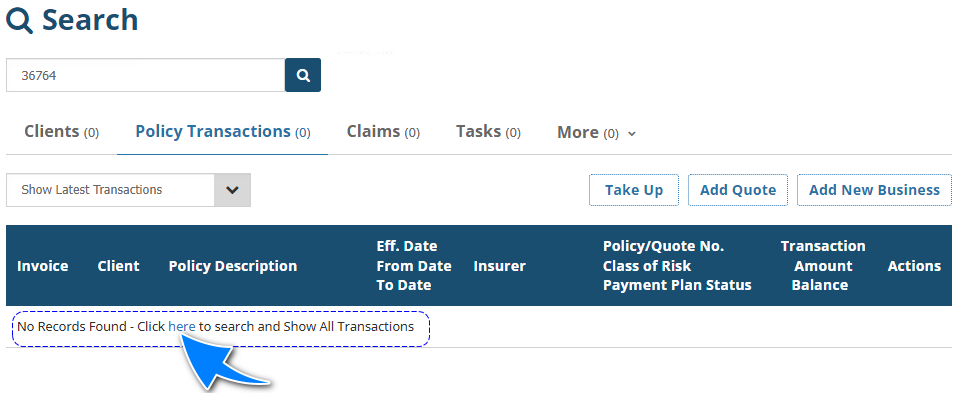
You can ONLY reinstate cancelled policies with a Manual interface. To initiate a Reinstatement, you must first locate the cancelled transaction. Because cancelled transactions are no longer active, they will not be included in the "Show Latest Transactions" filter.
When searching for a cancelled transaction, the results may display 'No Records Found', however, it will also provide a 'here' link that takes you to the "Show All Transactions" filter.
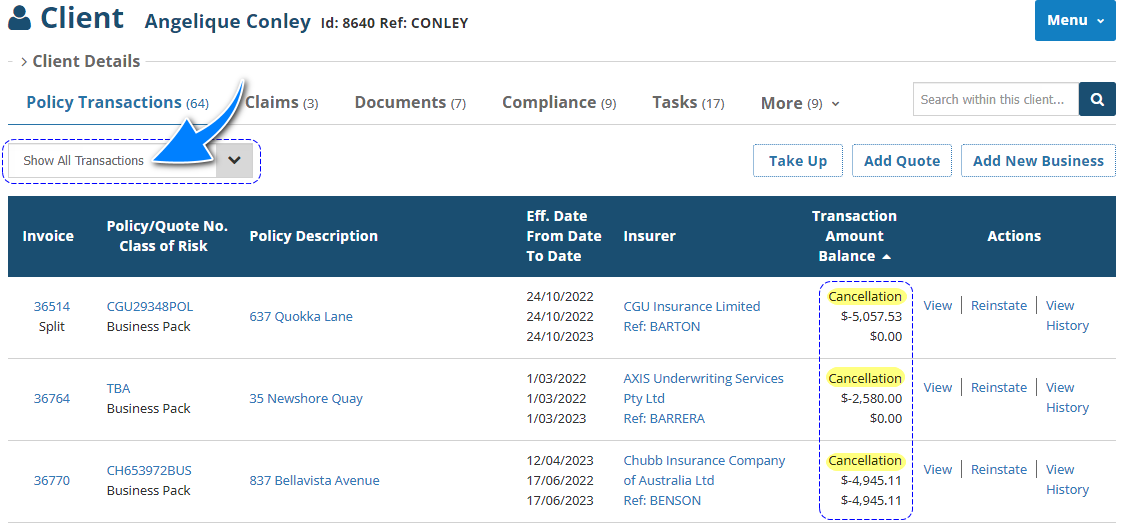
When viewing the list of transactions belonging to a Client or Policy, ensure you use the "Show All Transactions" filter to locate the cancelled transactions.
How to Initiate a Reinstatement
 | Transaction | Locate the transaction & from its Actions, choose Reinstate. | 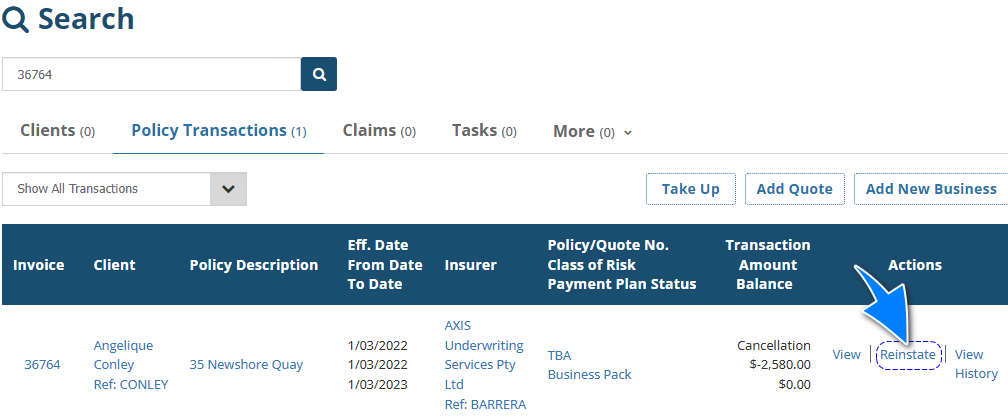 |
 | Policy Transaction level | Select Menu, then Reinstate. | 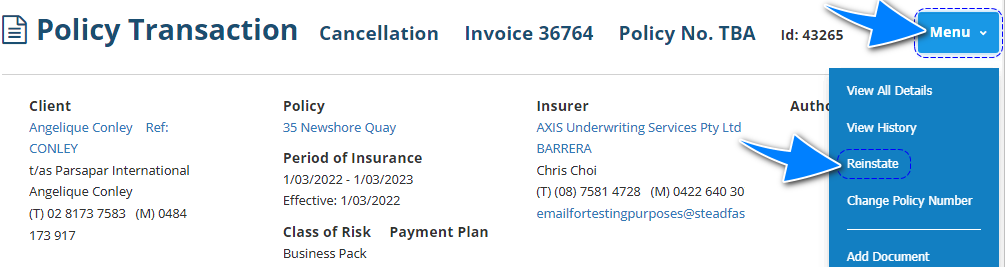 |
 | Transaction wizard | When applicable, the wizard includes the Reinstate Policy option in the What's Next button of the Summary page | 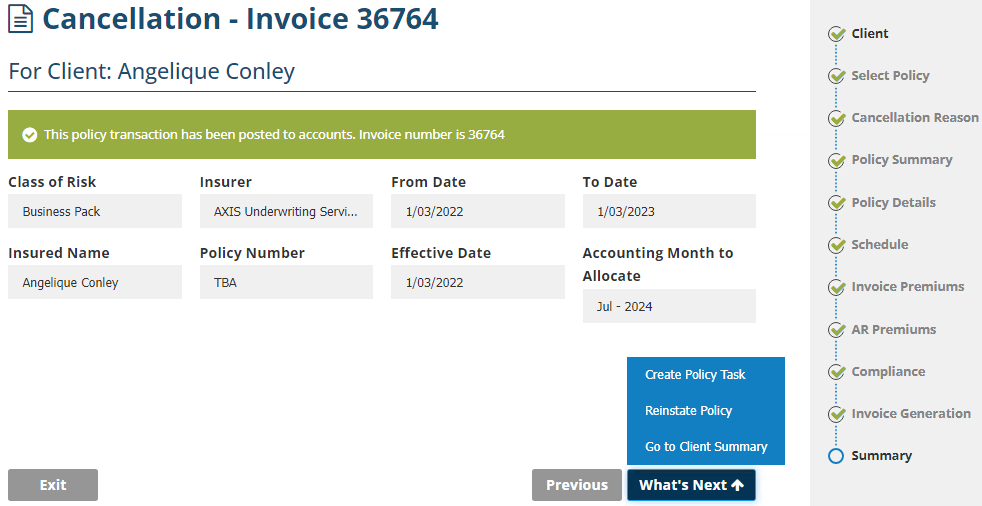 |
Was this article helpful?
That’s Great!
Thank you for your feedback
Sorry! We couldn't be helpful
Thank you for your feedback
Feedback sent
We appreciate your effort and will try to fix the article