Click to go to:
Policy NOT paid & cancelled Full-term
Policy NOT paid & cancelled Mid-term
Policy paid in FULL & cancelled Full-term
Introduction
You can ONLY reinstate a cancelled Manual policy. A reinstatement restores the policy back to how it was before it was cancelled. Since cancellation generates a credit, the reinstatement will generate the debt to balance out that credit. You'll find that the Reinstatement wizard is already auto-filled with the latest policy details. While reviewing each page, ensure that figures in the Invoice Premiums page are correct prior to posting to accounts to complete the reinstatement. |  |
Invoice Premiums
 | It is vital that reinstatement premiums are a mirror image of the cancellation premiums for INSIGHT to have the correct calculations - the reinstatement has the positive (+) version and the cancellation has the negative (-) version of the premiums. |
 | The Reinstatement wizard will bring over all premium figures except for the broker fee and broker fee GST premiums. INSIGHT does not assume that the broker fee is returned during a reinstatement. Please consult your own business practices to manage this specific scenario. |
 | Due to this, whenever you reinstate, please open the Cancellation wizard and take note of the broker fee and broker fee GST premiums so that you can enter the positive version of these in the Reinstatement wizard. |
Scenarios
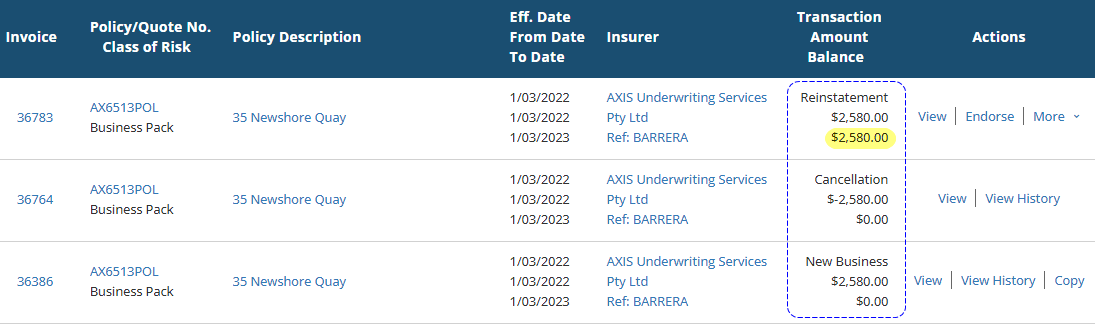
Policy NOT paid & cancelled Full-term
Instead of the cancellation credit clearing the debt, the reinstatement will return the debt to the client's account.
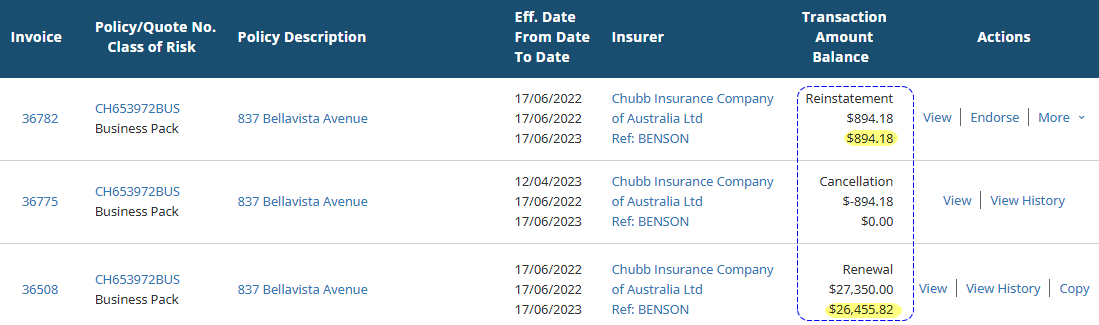
Policy NOT paid & cancelled Mid-term
The reinstatement will mirror the cancellation credit created by the Mid-term cancellation and make that amount outstanding to the client's account.
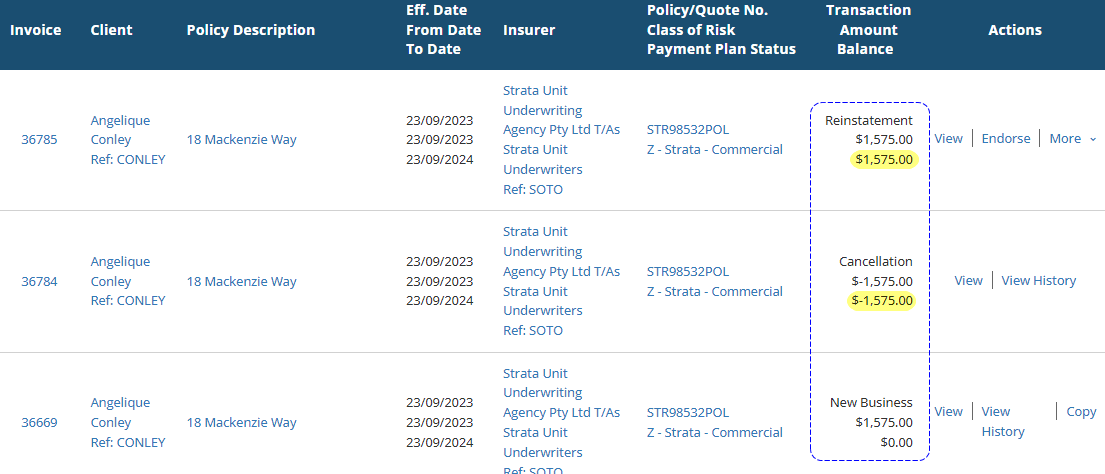
Policy paid in FULL & cancelled Full-term
The reinstatement will return the debt to the client's account. As the client has already paid, you can clear the debt in the system by manually allocating the cancellation credit to the debt created by the reinstatement.
Was this article helpful?
That’s Great!
Thank you for your feedback
Sorry! We couldn't be helpful
Thank you for your feedback
Feedback sent
We appreciate your effort and will try to fix the article