 The Payment Defaults page is made up of the following sections. Select the section names below for more information:
Payment Defaults

 Insurer Payments Insurer Payments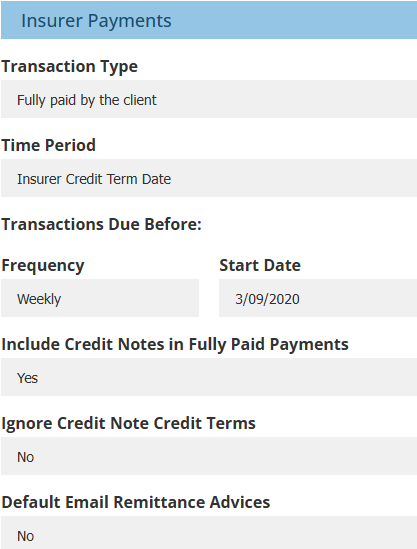 |  AR Payments AR Payments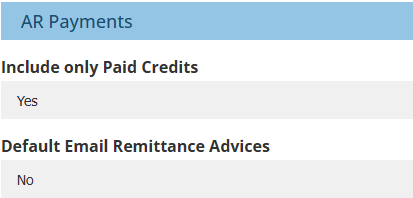  Client Refunds Client Refunds 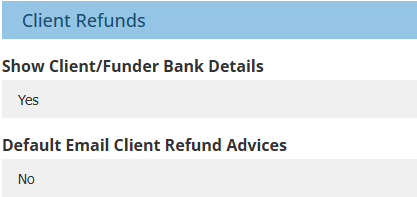 |  ABA File Criteria ABA File Criteria 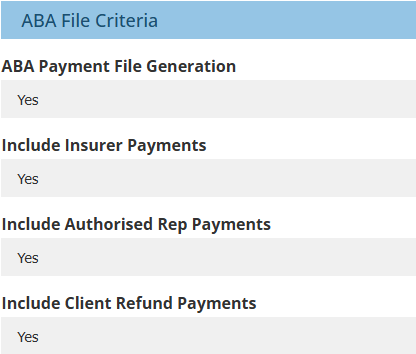 |
Insurer Payments | Return to Top |
The following settings apply to the New Insurer Payment wizard.
 NOTE: Settings marked with an asterisk (*) set up the default selection in the wizard but can be manually updated as needed.
| Refers to what transactions are captured in the Payment wizard: |
 | * Transaction Type - options are:
|  | * Transaction Type - options are:
|
The following are applied when the Time Period selection is either Effective Date or Insurer Credit Term Due Date:
Transactions Due Before
 | * Frequency - options are:
|  | * Start Date - manually enter the date or choose your desired date using the calendar tool. |
The following settings can only be updated in Ledger settings and cannot be updated in the wizard:
 | Include Credit Notes in Fully Paid Payments - options are:
|
 | Ignore Credit Note Credit Terms - options are:
|
This setting refers to the Email option under Remittance Advices on the Payment Generation page of the wizard.
 | * Default Email Remittance Advices - options are:
|
AR Payments | Return to Top |
The following settings apply to the New Authorised Rep Payment wizard.
 | Include only Paid Credits - options are:
|
This setting refers to the Email option under Remittance Advices on the Payment Generation page of the wizard.
 | * Default Email Remittance Advices - options are:
|
Client Refunds | Return to Top |
The following settings apply to the New Client Refund wizard.
 | Show Client/Funder Bank Details - this includes or excludes the Client Bank Details page in the wizard. If permissions are enabled, you can update the bank details on this page when the client wants to pay the refund to an alternate account as a once-off. | 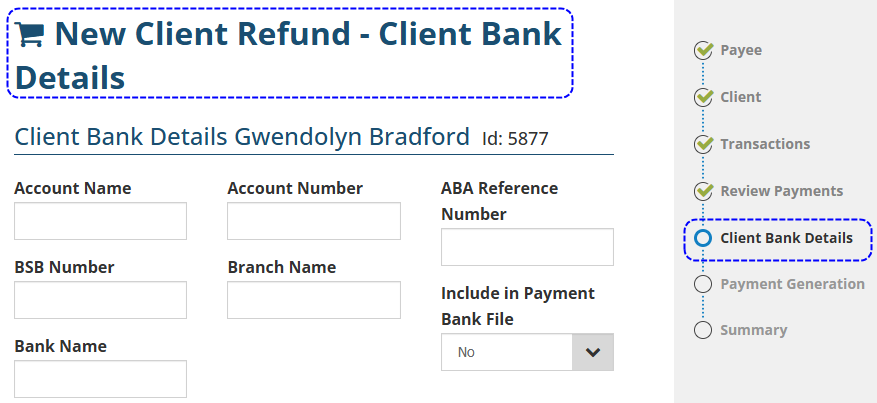 |
This setting refers to the Email option under Remittance Advices on the Payment Generation page of the wizard.
 | * Default Email Remittance Advices - options are:
|
ABA File Criteria | Return to Top |
This refers to the Export Payment Bank File feature found under the Payments menu.
 | ABA Payment File Generation - includes or excludes the Export Payment Bank File feature in the Payments menu. |
 | Include Insurer Payments - includes or excludes insurer payment when creating a bank payment (.ABA) file. |
 | Include Authorised Rep Payments - includes or excludes AR payments when creating a bank payment (.ABA) file. |
 | Include Client Refunds Payments - includes or excludes client refunds when creating a bank payment (.ABA) file. |
Was this article helpful?
That’s Great!
Thank you for your feedback
Sorry! We couldn't be helpful
Thank you for your feedback
Feedback sent
We appreciate your effort and will try to fix the article