Sunrise Insurers, Classes of Risk & Products
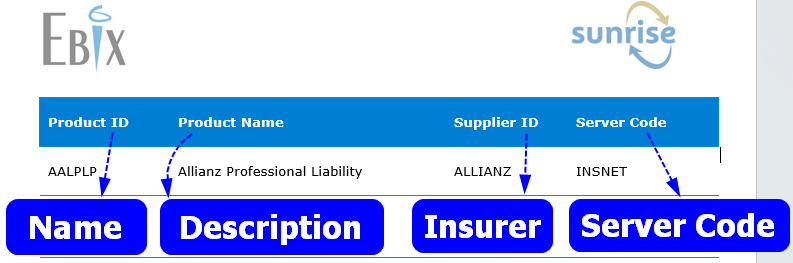
To ensure the correct configuration for Sunrise Products, Administrators must understand how the Insurer profile and the Class of Risk link to the Sunrise Insurer and Sunrise Product settings.
| Prior to setting up Steadfast Apps, contact Ebix to obtain the Ebix Configuration sheet for additional Sunrise Product details. |
Process
Click the Details button to view step by step instructions.
1. Create the Insurer profile:
2. Add the class of risk to the Insurer profile:
3. Identify the Insurer as a Sunrise Insurer:
4. Add the Sunrise Product:
Something got you stumped?
Our team is here to help! We know change can be tricky, but we've got your back.

Contact our support team here and well get back to you shortly
Was this article helpful?
That’s Great!
Thank you for your feedback
Sorry! We couldn't be helpful
Thank you for your feedback
Feedback sent
We appreciate your effort and will try to fix the article