Click to go to:
How to Identify a Co-insurance Policy
Introduction
The Co-insurance function ONLY applies to Manual policies. You can initiate a new Co-insurance policy by initiating a New Business transaction or a Renewal transaction. Enter information as per normal in the Policy Summary step of the wizard. At the bottom of the page, locate the Co-insurance field and select Yes - this will update the wizard with the Co-insurance step and features.
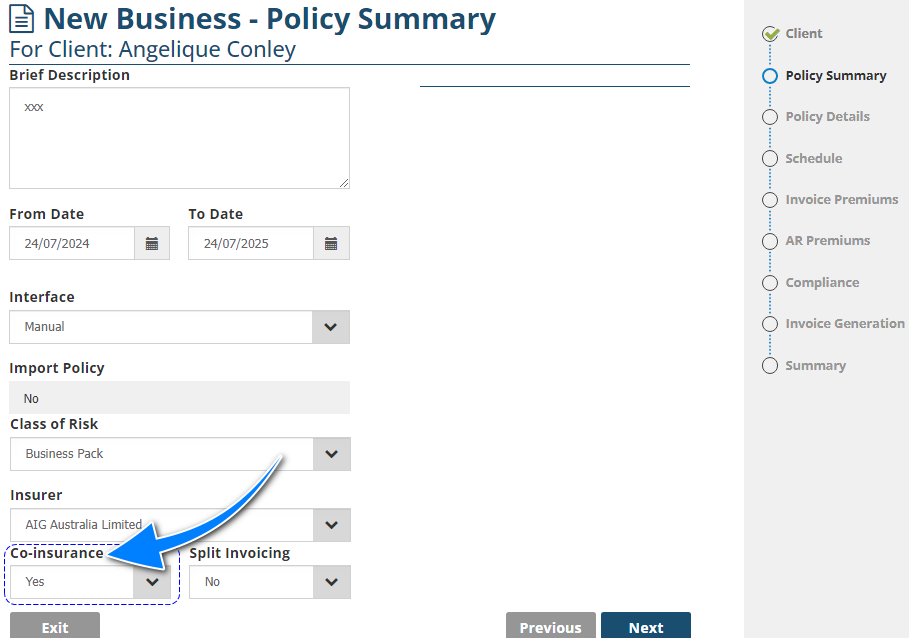
IMPORTANT: The insurer you choose in the Policy Summary page will be considered as the Lead Insurer. A Co-insurance policy is only found in the client's and the Lead Insurer's transaction list; the policy will not be found in the transaction list of an insurer listed as a Co-insurer.
How to Identify a Co-insurance Policy
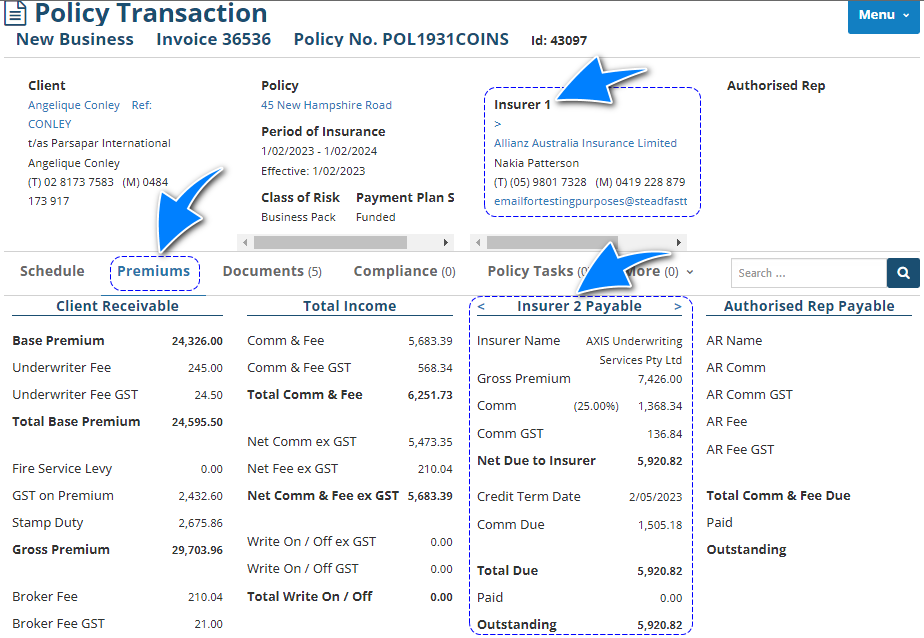
Co-insurance invoices or policies are identified when you are in the Policy Transaction level and wizard.
Policy Transaction level
You'll notice there is a number after the word Insurer. This indicates that there is more than one Insurer on this policy; Insurer 1 is the Lead Insurer. You'll also notice a > or < symbol in both Insurer areas. These symbols allow you to change through the different Co-insurers attached to the policy. On the header, you can use the Insurer hyperlink to go to the respective Insurer profile. In the Premiums section, you can view each Co-insurer's premium breakdown.
Wizard
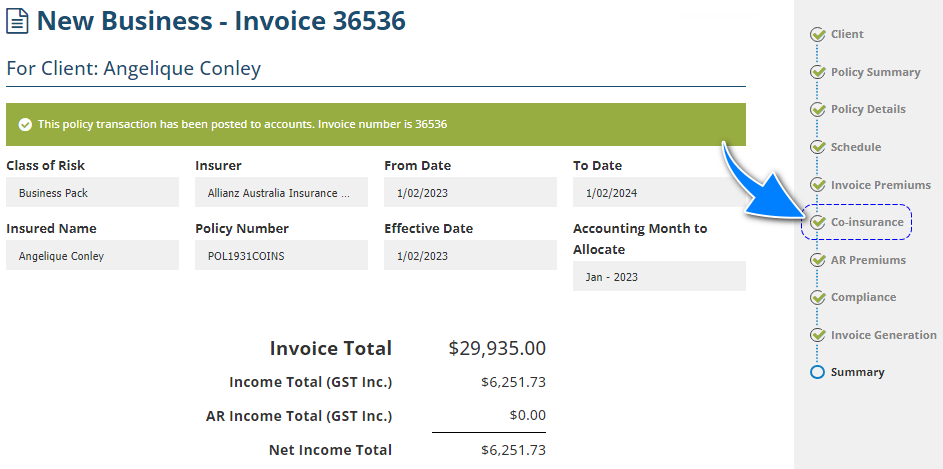
Once inside the wizard, you'll notice the Co-insurance page - this indicates the policy has Co-insurance.
Endorse & Renew
An Endorsement will:
- Allow you to add or delete a Coinsurer from the policy.
- NOT allow you to change a policy from non-Co-insurance to Co-insurance or vice versa.
A Renewal will:
- Allow you to add or delete a Coinsurer from the policy
- Allow you to change a policy from non-Co-insurance to Co-insurance or vice versa.
Reporting
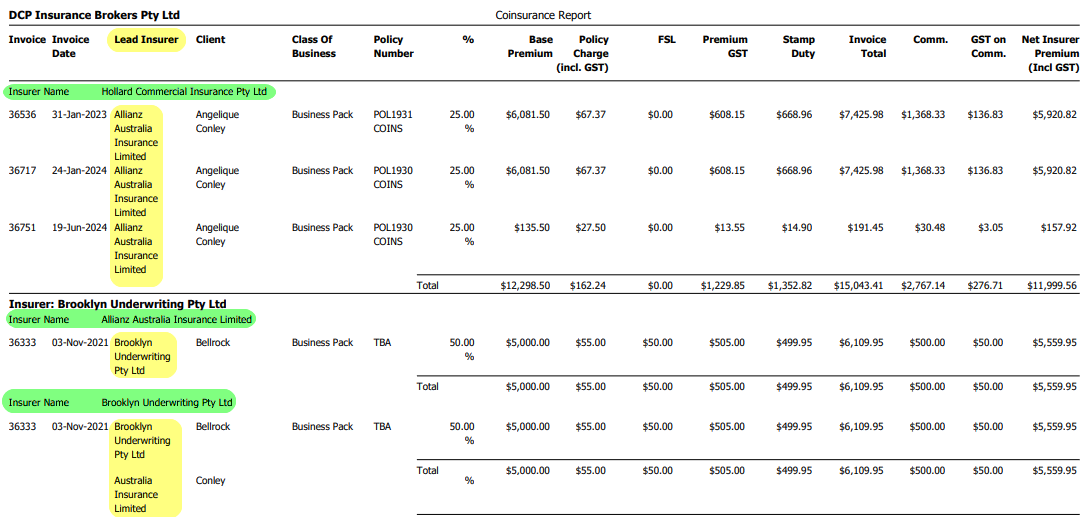
The Coinsurance Bordereau is the main report for Co-insurance and will display the following:
- Invoices that belong to a Coinsurer
- Who the Lead Insurer of the invoice is
- The premium breakdown for a Coinsurer for each invoice
Was this article helpful?
That’s Great!
Thank you for your feedback
Sorry! We couldn't be helpful
Thank you for your feedback
Feedback sent
We appreciate your effort and will try to fix the article