Click to go to:
Introduction
| The following pages of the Lapse Wizard have their own articles discussing each page in detail. Select the respective links to learn about each page: | 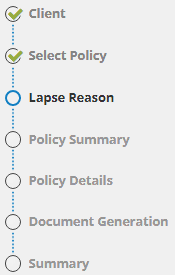 |
Features specific to a Lapse are the following:
- Lapse Reason page
- Effective Date field in the Policy Summary page
- Document Generation page
Lapse Reason
This page records the lapse reason and lapse notes. Information recorded on this page can only be viewed within the wizard: The Lapse Reason field is used as an internal reference to note the reason for the lapse. Your Administrator determines the field's options and can customise them further to suit your business. The Lapse Reason field is used as an internal reference to note the reason for the lapse. Your Administrator determines the field's options and can customise them further to suit your business. The Lapse Notes field is also used for internal reference and is a free-entry field. The Lapse Notes field is also used for internal reference and is a free-entry field. | 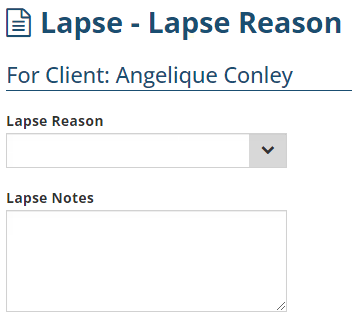 |
Effective Date
You'll notice that most fields in the Policy Summary page are not editable, except for the Effective Date field. The Effective Date field determines whether the lapse is Mid-term or End-term. Unlike a cancellation, a lapse does NOT generate a credit regardless of the date entered in the Effective Date field. | 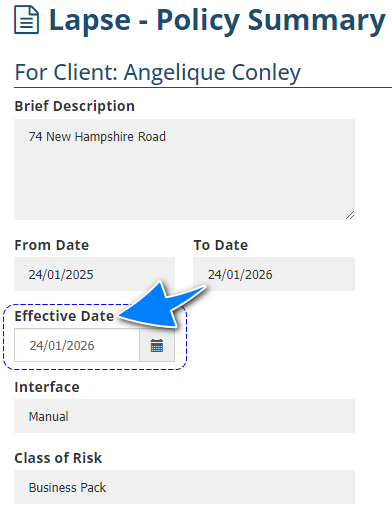 |
Document Generation
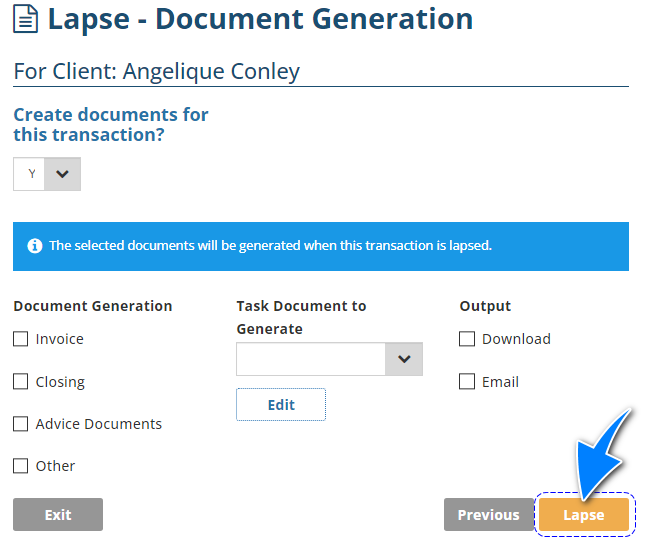
A Lapse's function is to make a policy non-renewable, therefore removing it from renewal reports. Lapsing a policy does not generate premiums, as it is considered a non-financial transaction. Due to this, the Post to Accounts button is replaced by a Lapse button and the Lapse Invoice document will display the invoice total as $0.00.
Was this article helpful?
That’s Great!
Thank you for your feedback
Sorry! We couldn't be helpful
Thank you for your feedback
Feedback sent
We appreciate your effort and will try to fix the article