Click to go to:
Introduction
INSIGHT reports are grouped into different headings. The Insurers heading captures the following reports:
Insurer Liability Report | Insurer Payables |
| Insurer Master List | Insurer Statement |
Ensure you set Select All Records as No, to further drill down to specific categories such as Branch, Sales Team, Class of Risk, etc.
Insurer Liability Report
This report provides a detailed analysis of the net amounts owing to all or a selected Insurer for the chosen As At date. You can create a report showing all owing amounts, just amounts payable or just amounts not yet payable.
Refer to the sample of report headings below:

Insurer Master List
This report can be generated in 3 different styles:
 | Summary - provides an insurer list with general class of risk information |

 | Detail - provides an insurer list with class or risk and premium information |

 | Itemised - provides an insurer list with transaction and premium information |

Insurer Payables
 | This generates a report for one insurer listing the individual policies that make up the net amount payable. |
 | Use the Parameters and Date Selection to generate the Insurer Payable List, choose one Insurer from the list, choose the Export Report As option, then Run Report. |
 | The Insurer Payable List auto-updates as soon as you update the Parameters and Date Selection. The options available are:
|
Insurer Statement
This report provides a statement showing the debit, credit and balance of each policy for the chosen insurer as of the chosen As At date. Use the Parameters to enter the nam of the insurer and customise the report, then choose an As At date, an Export Report As option, then Run Report. | 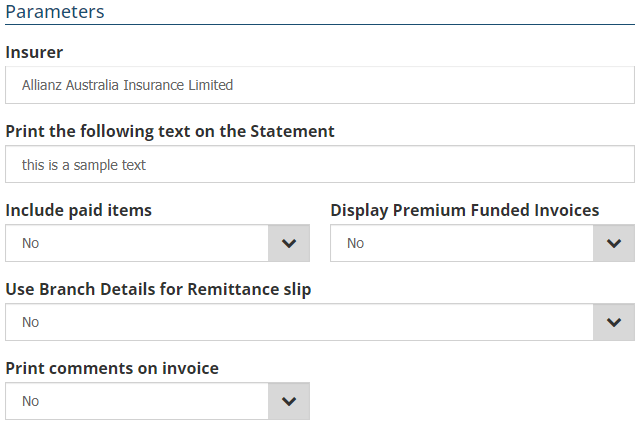 |
Was this article helpful?
That’s Great!
Thank you for your feedback
Sorry! We couldn't be helpful
Thank you for your feedback
Feedback sent
We appreciate your effort and will try to fix the article