INSIGHT offers you the opportunity to customise your reports before generating them. Once you select a report, you'll be prompted to make selections to tell INSIGHT what kind of data you want to review. When you've got a set of selections often used, you can make use of the Save as Default button so that you don't need to repeat your selections each time you select the report. When you've made all your selections, choose Run Report to generate the report.

NOTE: Your access to reports is defined by your permissions configured by the Administrator.
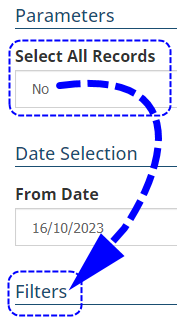
The selections you see depend on the type of report and are generally broken down into the following:
 | Parameters - defines the scope of what is captured in the report |
 | Date Selection - defines the date range of items included in the report |
 | Formats - defines the style of report as detail or summary |
 | Filters - allows you to drill down to items belonging to specific categories |
 | Grouping & Sorting - organises the items in the report |
 | Export Report As - determines the file type the report is generated as |
To assist with locating the report you want, the reports are broken down with the following headers:
| Compliance | Payments |
| Auth. Rep & Prod. Broker | Policies |
| Claims | Producing Broker |
| Client | Receipts |
| Revenue & Earnings | Tasks |
| Finance & Accounting | Event Publication |
| Insurers | Administration |
| When you know the report's name to find it easier, you can use the search bar instead of going through the list. | 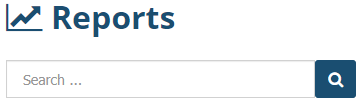 |
 |
|
 QUICK TIP
Was this article helpful?
That’s Great!
Thank you for your feedback
Sorry! We couldn't be helpful
Thank you for your feedback
Feedback sent
We appreciate your effort and will try to fix the article