Click to go to:
Introduction
This function enables you move the complete policy history from one client to another. Any outstanding balance is recorded and will be receipted against the original client. However, new transactions created will have the debt outstanding against the new client.

This functionality is available to all interfaces for current policies only.
Process
 | Locate the policy you wish to move and selet Move - the latest transaction of that policy will have the Move option, found in Actions and More. |
 | Enter a reason in the Move Reason field. |
 | Use the Move To - Client field to search for the new client the policy is being moved to - Check the client contact card to ensure you're moving the policy to the correct client. |
 | Select Next - selecting this moves the policy immediately. |
The Summary page contains the policy information, the from client and the to client. The What's Next button contains a shortcut to the new client's profile.
Highlights
 | After the policy has been moved, outstanding debt is managed using the Debtor link - selecting this is a shortcut to the original client, where you can use the Account Enquiry to manage the debt. |

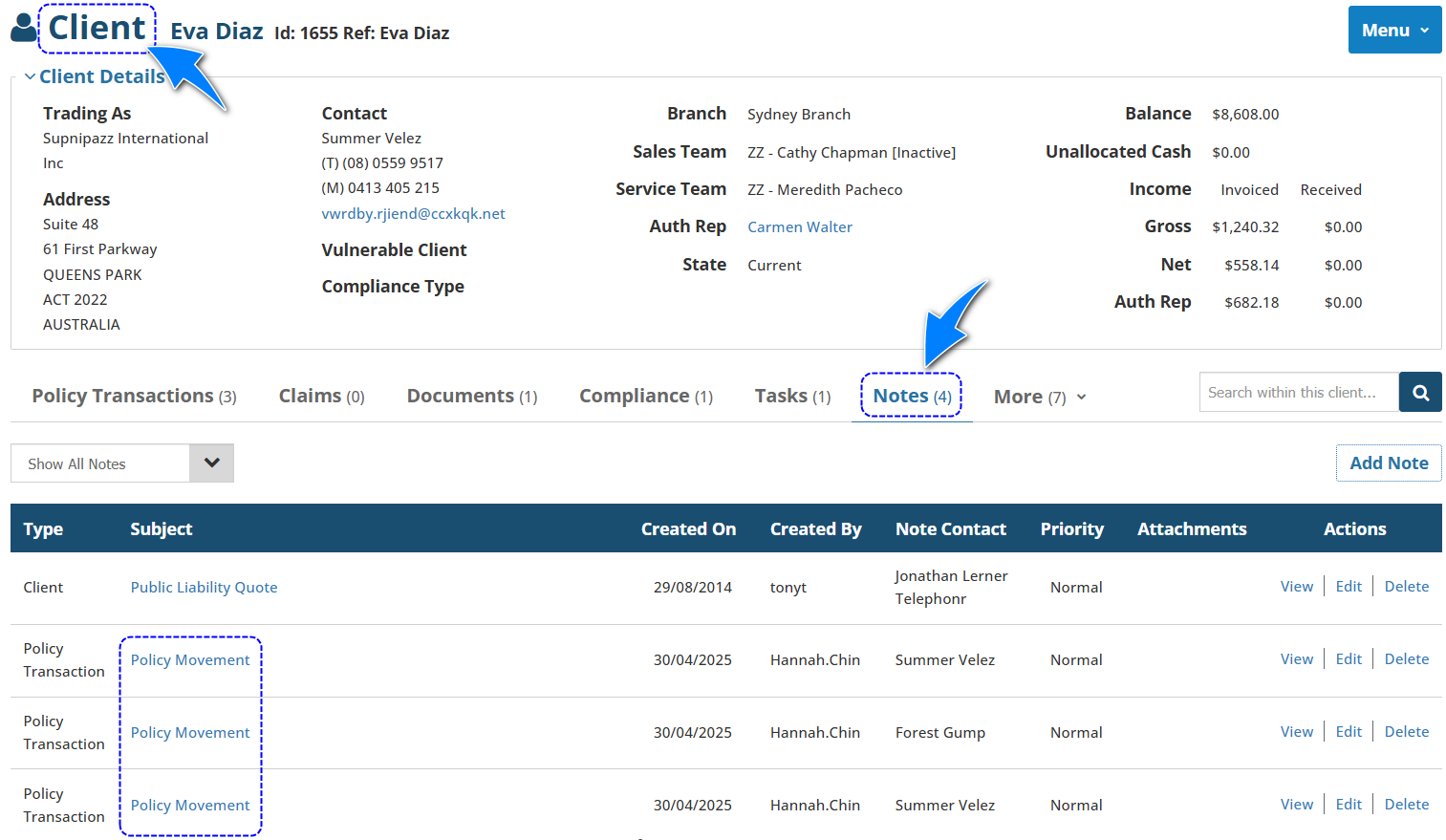
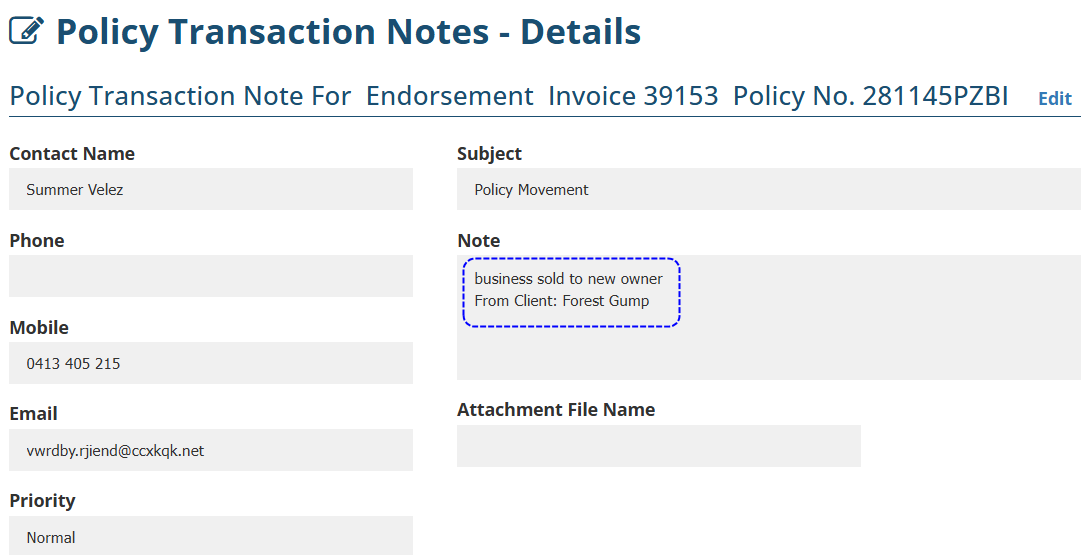
 | Each time a policy is moved, a Client note is auto-created with the Subject: Policy Movement, indicating whether a Move Reason was entered and who the original client was. |
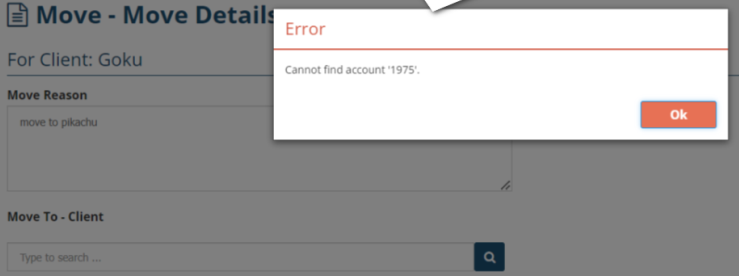
 | When moving an SCTP policy, the new client must exist in the SCTP portal. You will receive the below message if the new client is not currently in SCTP. To create the client in SCTP, go to the client profile in INSIGHT, create a quotation, launch SCTP and return to INSIGHT - this creates the client in SCTP so that you can continue with moving the policy. |
Was this article helpful?
That’s Great!
Thank you for your feedback
Sorry! We couldn't be helpful
Thank you for your feedback
Feedback sent
We appreciate your effort and will try to fix the article