Click to go to:
Introduction
Without the correct password, you cannot access INSIGHT. If you find yourself in a situation where you have forgotten your password, read along to find out what to do.
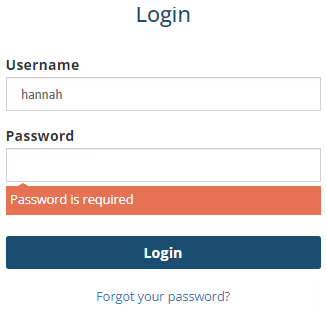
IMPORTANT: If you are locked out of your account, first, contact your Administrator to unlock your account. If further assitance is required, send an email to the Support Desk.
What to do?
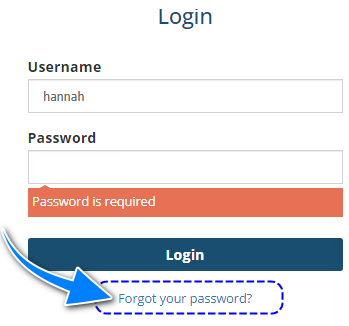
- Go to the Login page and select Forgot your password?
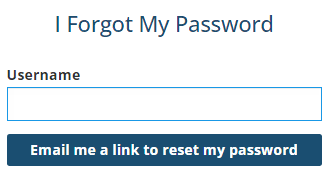
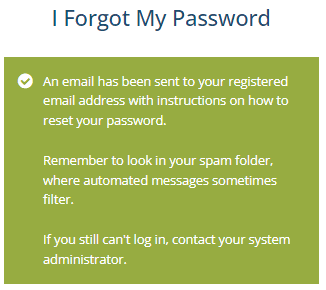
- Enter your username in the field and select Email me a link to reset my password. The next page will display a message confirming an email has been sent to you.
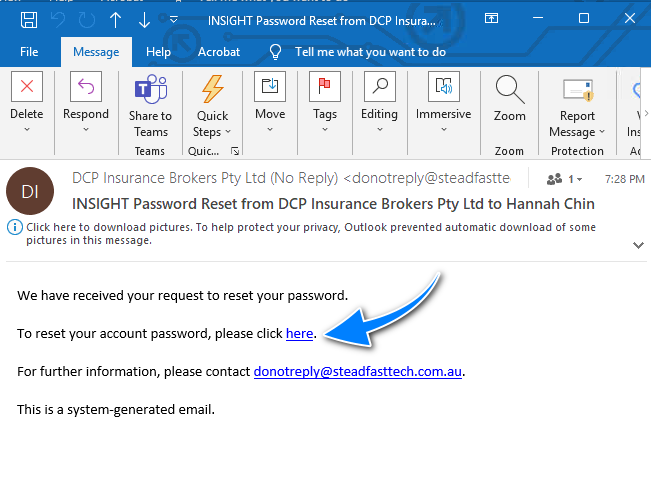
- Once you receive the email and view it, select here.
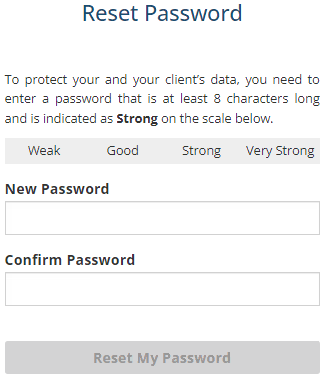
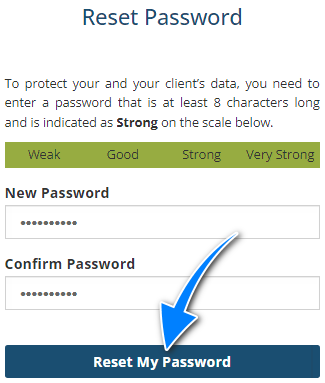
- Enter your password in the New Password and Confirm Password fields ensuring they match and follow the Password Rules. Then, select Reset My Password.
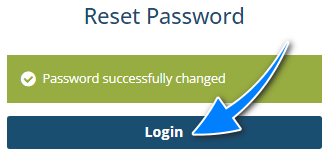
- The next page confirms the password change, then select Login and enter your username & new password to access INSIGHT.
Was this article helpful?
That’s Great!
Thank you for your feedback
Sorry! We couldn't be helpful
Thank you for your feedback
Feedback sent
We appreciate your effort and will try to fix the article