Click to go to:
Introduction
This article discusses how to update your password while still being able to log in using your current password. Reasons you may need to change your password:
- If your password is set up to expire by a defined period, you can change your password ahead of time, before it expires.
- Your current password has been compromised.
- For any other reason.
What to do?
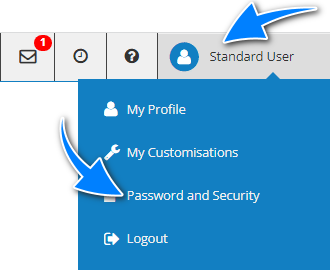
- Log in to INSIGHT using your current password, select your name in the top-right corner and select Password and Security.
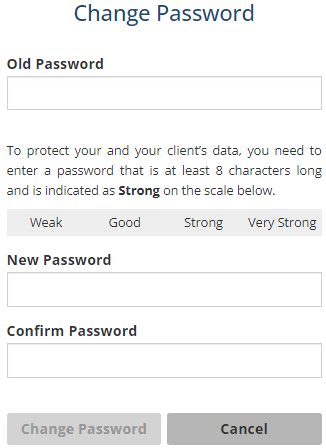
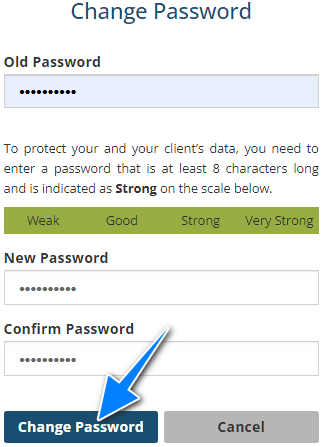
- Enter your current password in the Old Password field. Then enter your new password in the New Password and Confirm Password fields - these must match and meet the requirements of the Password Rules.
- Once the new passwords are matched and accepted, select Change Password.
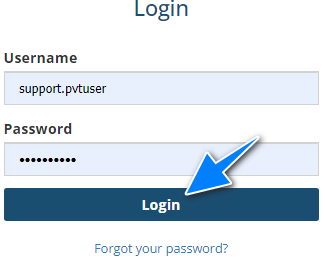
- The next page will be the Login page, enter your username and new password, then select Login.
Was this article helpful?
That’s Great!
Thank you for your feedback
Sorry! We couldn't be helpful
Thank you for your feedback
Feedback sent
We appreciate your effort and will try to fix the article