Click to go to:
Introduction
INSIGHT is a Trust account management system that accounts for all monies coming in and out of a broker’s Trust account. You may wish to transfer an amount from your Trust account into an interest-bearing account, and then return this amount to the Trust account when it's time to make the respective payments. The Prescribed Investments wizard is where you can track the amount you have invested (the amount taken from Trust) and the amount you need to withdraw (the amount that needs to be returned to the Trust). The wizard is found by selecting Finance, then Prescribed Investments. | 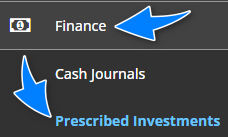 |
Invest
 | Select Invest. |
 | Use the Amount to Invest field to enter the amount you wish to transfer out of the Trust. |
 | Use the Note field to enter a brief description of the transfer. |
 | Select Save. |
Withdraw
 | Select Withdraw. |
 | Use the Amount to Withdraw field to enter the amount you wish to return to the Trust. |
 | Use the Note field to enter a brief description of the transfer. |
 | Select Save. |
What happens next
 | INSIGHT will update the funds available to invest and the funds available to withdraw according to the movement of amounts. |
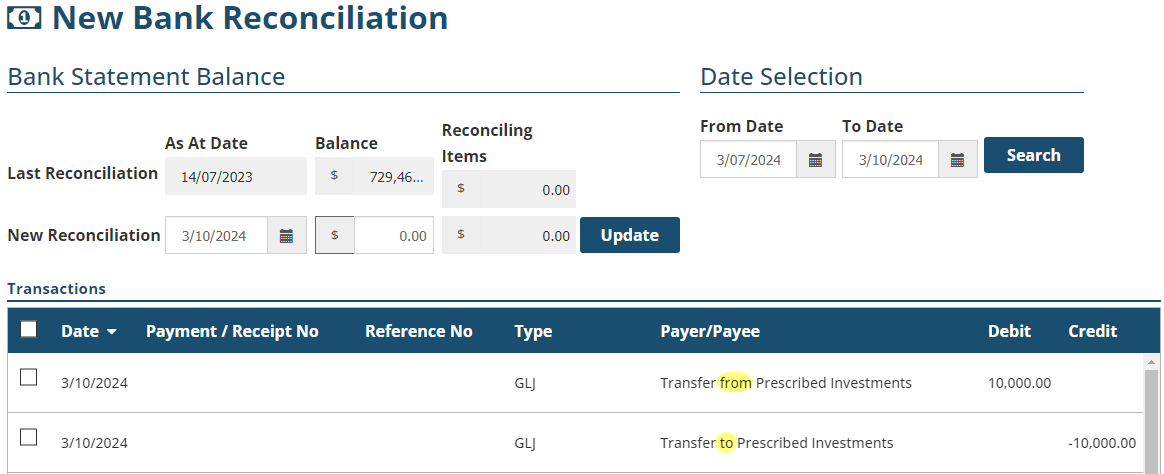
 | You can track the movement in and out of the Trust using the Bank Reconciliation wizard. |
Was this article helpful?
That’s Great!
Thank you for your feedback
Sorry! We couldn't be helpful
Thank you for your feedback
Feedback sent
We appreciate your effort and will try to fix the article