Click to go to:
Introduction
INSIGHT is a trust account management system. Each time a transaction is "post to accounts", for example, a receipt is created or an insurer is paid, should also reflect a movement of money in your trust account. Bank reconciliation is the process of matching the transactions recorded in your trust account bank statement with the transactions recorded in INSIGHT. Periodically completing bank reconciliation between INSIGHT and your trust account is an important financial control to detect and correct any discrepancies due to error or fraud. Generally, bank reconciliation is done at least once a month.
Before you start
Trust Account Notes
As INSIGHT accounts for transactions created and posted within INSIGHT, its bank reconciliation feature does not cater for external transactions such as bank fees or interest income. Due to this, kindly advise your bank to automatically allocate miscellaneous charges (bank fees) and income (interest income) to your operating account, rather than your trust account.
Configuration
The New Bank Reconciliation feature is found under the Finance menu. All Administrators will have access to it, however, Standard users need to have the relevant permissions enabled to access the feature. | 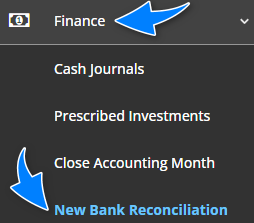 |
Bank File Import Notes
The Bank File Import feature allows for receipts received in your trust account to be automatically created and allocated in INSIGHT. You generally receive a file from your bank to import into INSIGHT. For more information, refer to the Bank File Import article.
When reconciling receipts from a bank file import, your trust account bank statement generally identifies them with a statement line such as "Deposit - DEFT Settlement" and the combined total amount of receipts.
 | To reconcile with INSIGHT, locate the matching combined total amount and refer to the Payer/Payee column - this displays the type of import, for example, 'Macquarie All Transactions File Import'). |
Prescribed Investments
The Prescribed Investments feature records the movement between the trust account and an interest-bearing account - for more information, refer to the Prescribed Investments article.
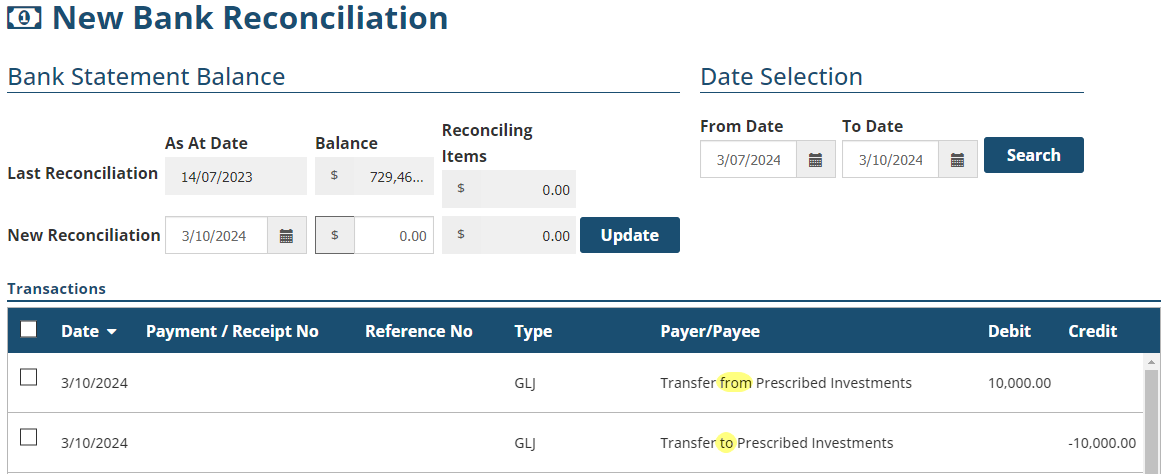
 | To reconcile with INSIGHT, locate the matching amount and refer to the Payer/Payee column - this displays the type of prescribed investment. |
Was this article helpful?
That’s Great!
Thank you for your feedback
Sorry! We couldn't be helpful
Thank you for your feedback
Feedback sent
We appreciate your effort and will try to fix the article