Click to go to:
Searching for instalment adjustments
Introduction
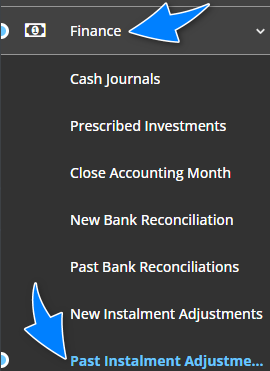
| All instalment adjustments processed in INSIGHT are stored in Past Instalment Adjustments. Found under the Finance menu, use this area to:
|  |
Searching for instalment adjustments
The main page is divided into 2 areas. The top area contains the From Date, To Date and search button. The bottom area contains the results based on the filters chosen in the top area. Anytime you change the filter selections, for example, change the date range, you must re-select the search button to update the results in the bottom area.
Review Transactions
Locate the adjustment and select View. You'll be directed to another page with more details about the adjustment.
Download reports
Once you've searched for and located the adjustments you wish to review, select the circle against the adjustment, then select Download Selected as PDF and/or Download Selected as Excel, depending on the file type you want to save the remittances as.
Was this article helpful?
That’s Great!
Thank you for your feedback
Sorry! We couldn't be helpful
Thank you for your feedback
Feedback sent
We appreciate your effort and will try to fix the article