Click to go to:
Introduction
While it can be tempting to simply close the browser to exit INSIGHT, this article discusses the correct way to finish up when done using INSIGHT.
What to do?
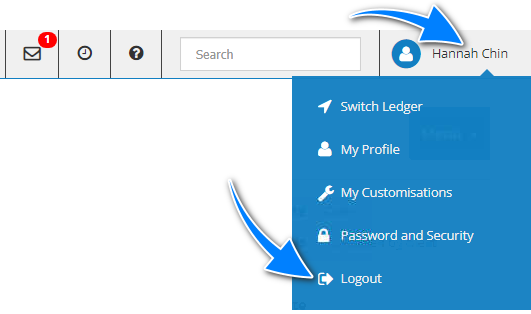
- Go to the top right corner.
- Select your name.
- Select Logout.
Was this article helpful?
That’s Great!
Thank you for your feedback
Sorry! We couldn't be helpful
Thank you for your feedback
Feedback sent
We appreciate your effort and will try to fix the article