Click to go to:
Introduction
| If you have permission to add a producing broker, you can use the Add menu and select Add Producing Broker. | 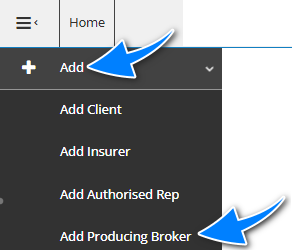 |
Alternatively, you can first search for the producing broker you wish to add and check if they are already in the system. When the producing broker is not found in the search results, select New Producing Broker to create the entity.
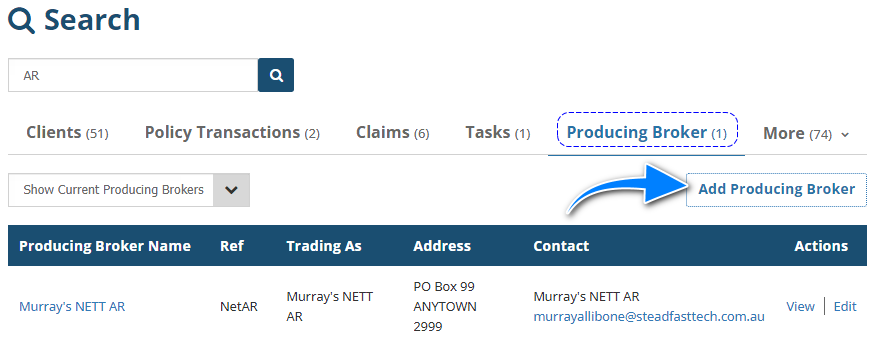
Regardless of how you choose to create the producing broker, you'll be directed to the Add Producing Broker wizard, where you'll complete the Profile, Commission and Bank pages of the wizard.
- Most of the fields on the pages are self-explanatory, however, we'll highlight fields that require further explanation.
- All fields marked as Required must be completed before proceeding to the next page.
Profile
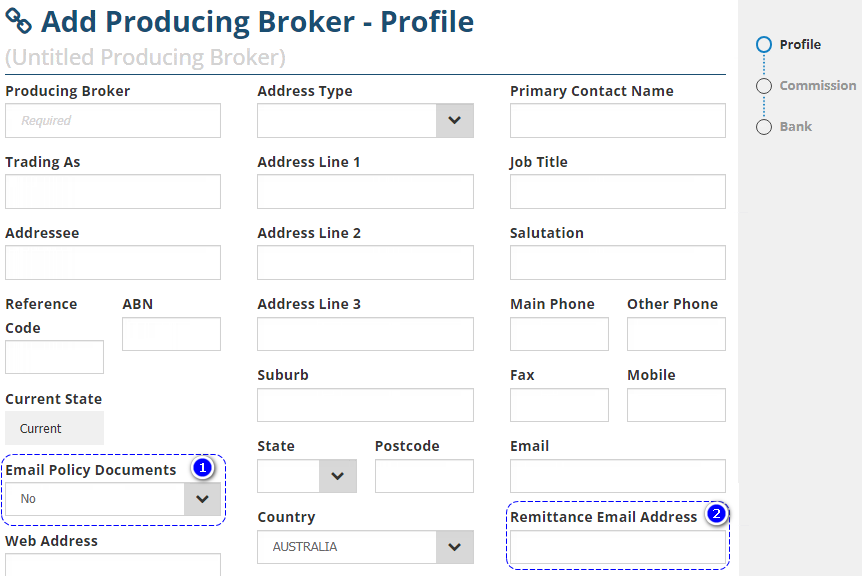
1. Email Policy Documents - There are 2 options for this field:
- Yes: Will default to selecting Email as an Output method when sending the policy documents.
- No: Will NOT default to selecting any Output methods when sending the policy documents.
2. Remittance Email Address - This is specifically for the recipient of the producing broker remittance.
Commission
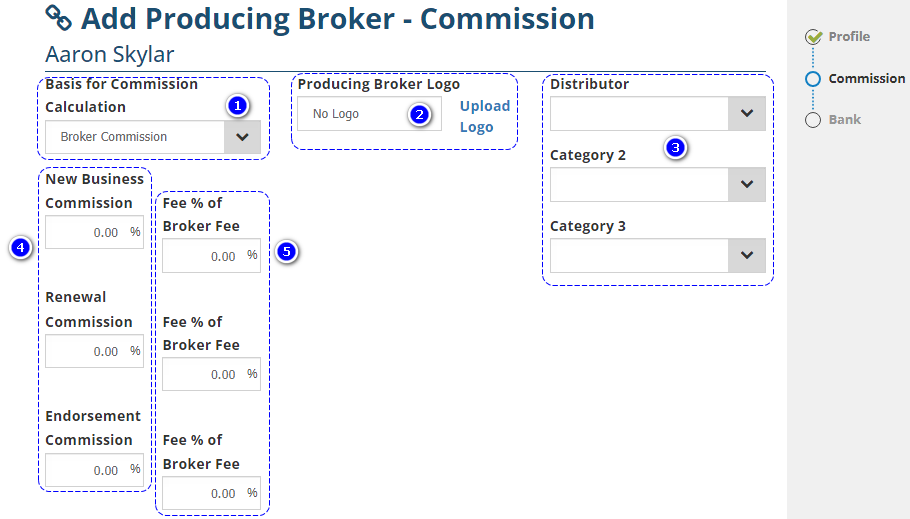
1. Basis for Commission Calculation - There are 2 options for this field:
- Broker Commission
- Base Premium
2. Producing Broker Logo - Uploading the producing broker's logo here will display the producing broker logo on client-facing documentation such as the invoice - Kindly refer to your own business practices for when to use this field.
3. Producing Broker 1 - 3 - Administrators can create up to 3 additional Producing Broker Categories to further classify producing brokers - Kindly refer to your own business practices for when to use these fields.
4. Commission % per transaction type - Indicates the commission % the Producing Broker receives per transaction type.
5. Fee % per transaction type - Indicates the fee % the Producing Broker receives per transaction type.
Bank
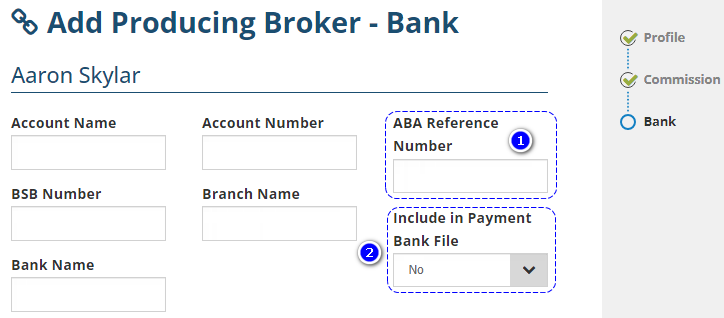
1. ABA Reference Number - When applicable, this is provided by the bank if the producing broker is being paid via Payment Bank (ABA) File.
2. Include in Payment Bank File - Defines if payments to this producing broker are included in the Payment Bank (ABA) File.
How to Edit
Once a producing broker is added to INSIGHT, you can make changes or updates to the profile as needed.
If you aren't currently viewing the producing broker, search for and locate the producing broker, then select Edit.
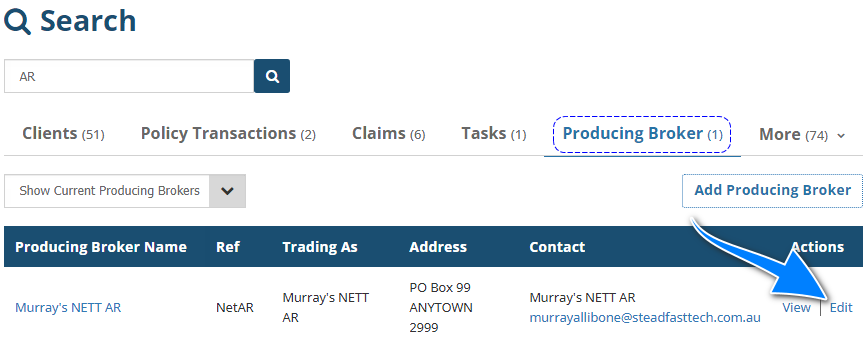
 NOTE: Ensure you select the Producing Broker tab to view the appropriate search results.
If you are currently viewing the producing broker, select Menu, then Edit this producing broker.
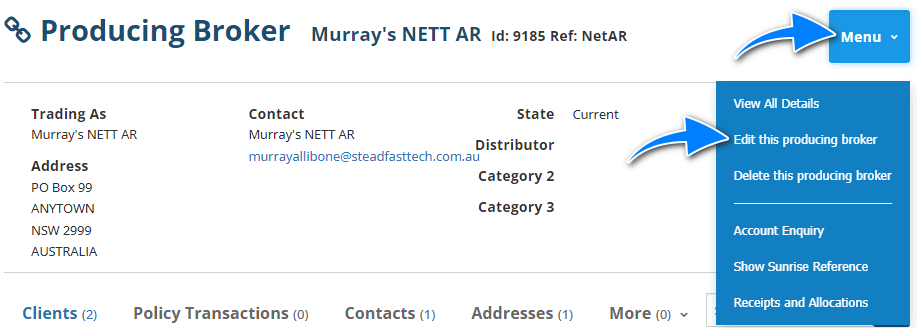
When you're in the 'edit' mode of the profile, make your changes and either select Exit, then Save or navigate to the end of the wizard and select Save.
In the event you don't wish to save your changes, select Exit, then Don't Save.
Was this article helpful?
That’s Great!
Thank you for your feedback
Sorry! We couldn't be helpful
Thank you for your feedback
Feedback sent
We appreciate your effort and will try to fix the article