IMPORTANT: It is assumed you have attended an SCTP training course and are familiar with the SCTP interface.
Introduction
Once an SCTP transaction is Bound & Closed/Invoiced, you can download insurer-specific documentation directly from SCTP.
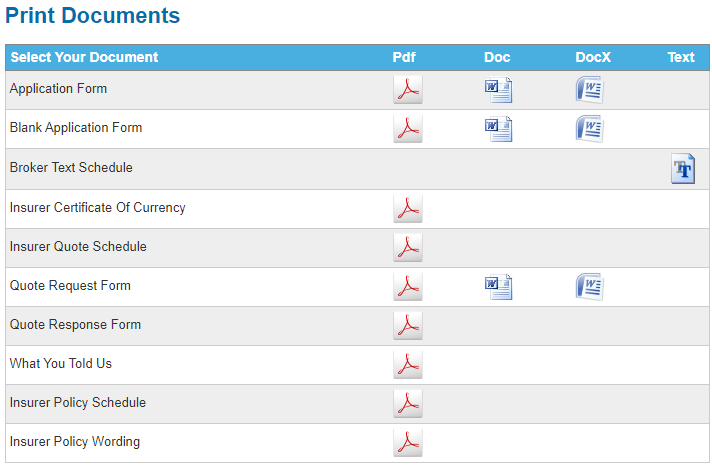
A sample list of documentation available in SCTP is as follows:
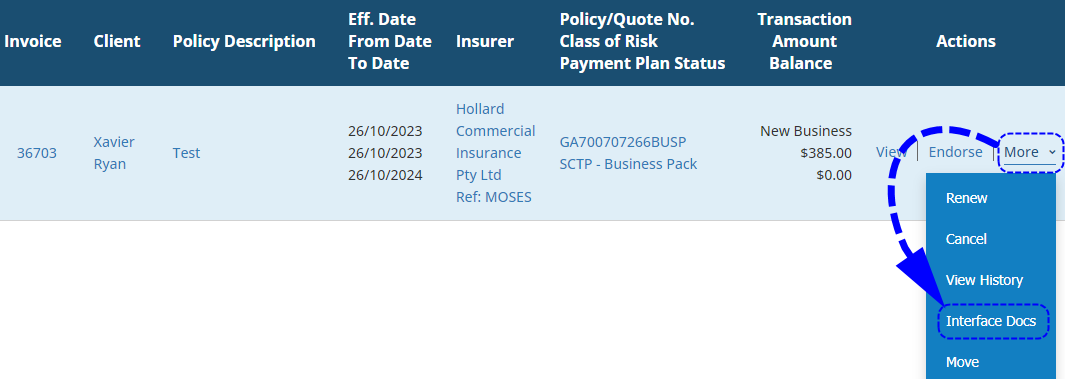
There is no need to log in to SCTP externally, you can access this through INSIGHT by selecting the Interface Docs button - this is generally found as one of the actions available beside a transaction:
Process
 | Locate the transaction and select Interface Docs. |
 | Choose the document(s) you want to download and choose the icon for the file type you wish to download it in. For example, select from the icons for pdf, docx, doc and text. |
 | Select Done to return to INSIGHT. |
Was this article helpful?
That’s Great!
Thank you for your feedback
Sorry! We couldn't be helpful
Thank you for your feedback
Feedback sent
We appreciate your effort and will try to fix the article