Introduction
Once a Sunrise transaction is closed and accepted (post to accounts), you can download insurer-specific documentation, such as a Certificate of Currency, directly from Sunrise.
As Sunrise Insurers have different user interfaces, each insurer may have different insurer documents available.
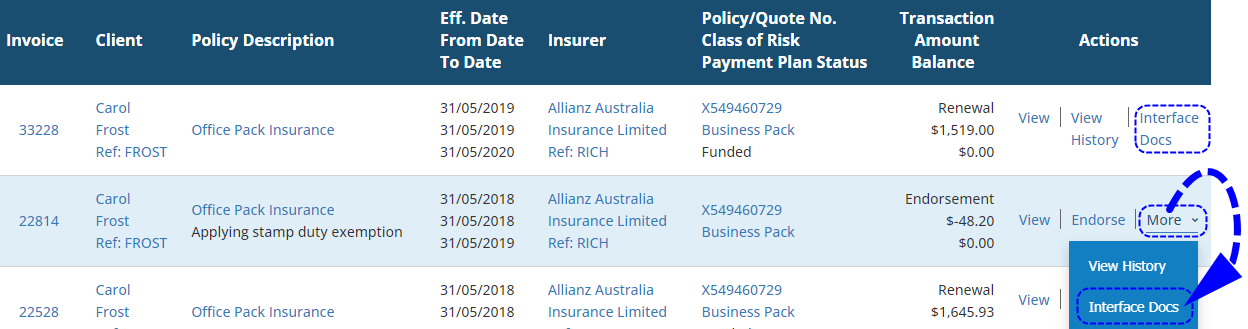
There is no need to log in to Sunrise externally, you can access this through INSIGHT by selecting the Interface Docs button - this is generally found as one of the actions available beside a transaction:
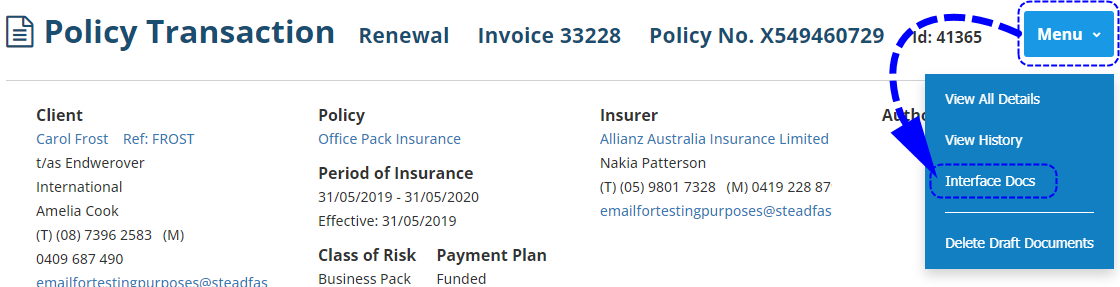
or in the Menu options, when in the Policy Transaction view:
Process
 | Locate the transaction and select Interface Docs |
 | Choose the document(s) you want to download |
 | Return to INSIGHT |
Was this article helpful?
That’s Great!
Thank you for your feedback
Sorry! We couldn't be helpful
Thank you for your feedback
Feedback sent
We appreciate your effort and will try to fix the article