You can see the email status & notification history and download the Excel report of all sent Automated Notifications using the Past Automated Notifications section. We suggest that you check the status regularly to ensure the emails are being delivered to each insurer.
Found in Setup and Utilities, the page is divided into two parts: 1) The top half contains the filters and search button and 2) The bottom half displays the search results.
QUICK TIP: After making changes to the filter, always select the Search button to update the search results.
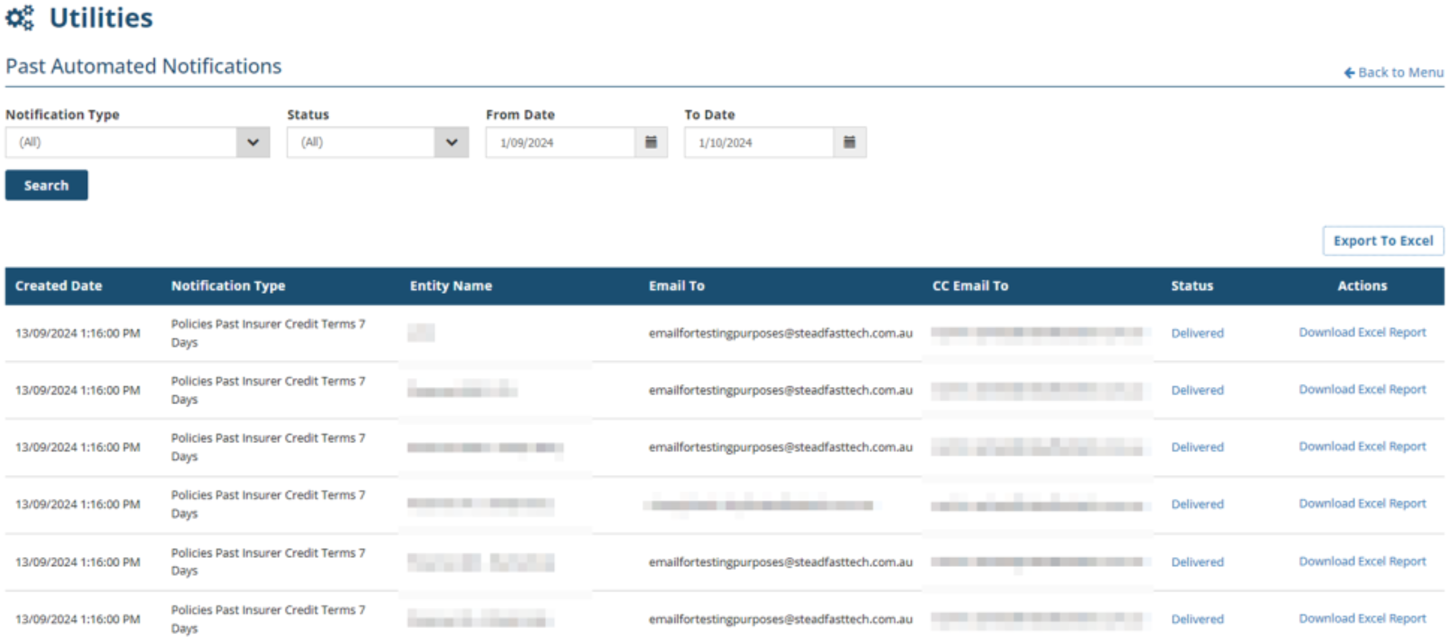
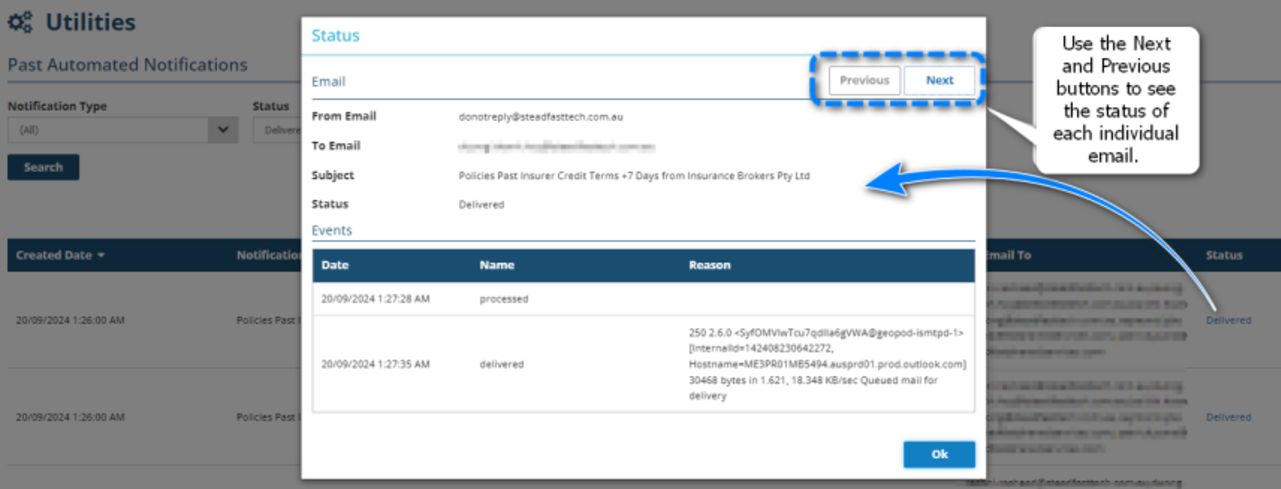
Select the Status beside the notification to view more details. When the email was sent to CC'd email addresses, use the Previous and Next buttons to check the individual statuses for each email.
Was this article helpful?
That’s Great!
Thank you for your feedback
Sorry! We couldn't be helpful
Thank you for your feedback
Feedback sent
We appreciate your effort and will try to fix the article