Click to go to:
How to Initiate a Cancellation
How to Initiate a Cancellation
 | Quick Links | On the Home page, hover over the Transaction icon and select Cancellation. | 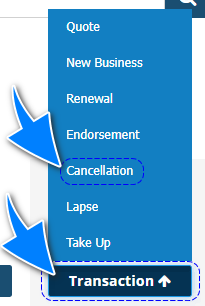 |
 | Transaction | Locate the transaction & from its Actions, choose Cancel. | 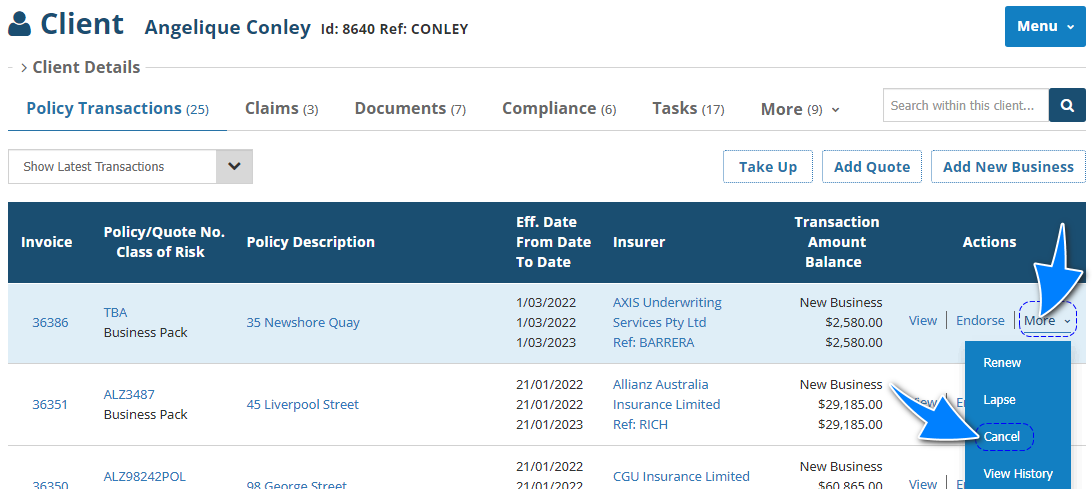 |
 | Policy Transaction level | Select Menu, then Cancel. | 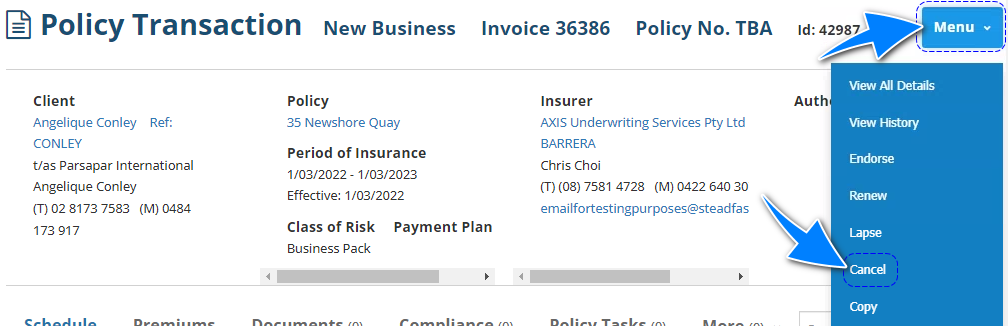 |
 | Transaction Wizard | When applicable, the wizard includes the Cancel Policy option in the What's Next button of the Summary page. | 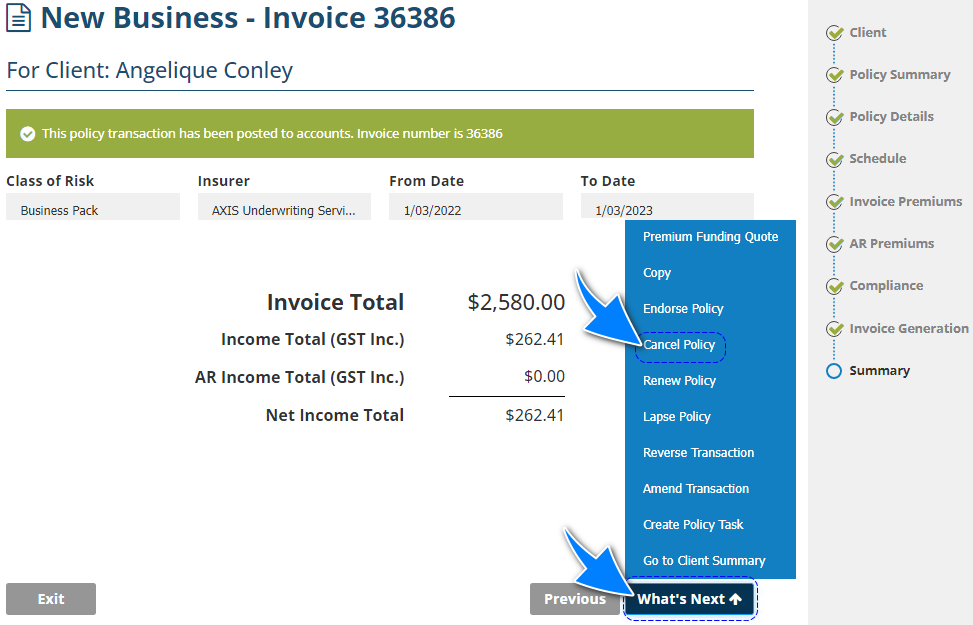 |
NOTE: When initiating via option 1, you will be prompted to enter an existing client name. From there, a list of the client's current transactions will be displayed. Using the list, choose the transaction you wish to cancel.
Cancellation Wizard
The following pages of the Cancellation Wizard have their own articles discussing each page in detail. Select the respective links to learn about each page: | 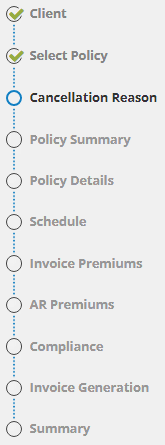 |
The feature specific to a Cancellation is the following:
- Cancellation Reason page
- Brief Description and Effective Date field in the Policy Summary page
Cancellation Reason
This page records the cancellation reason and additional details. Information recorded on this page can only be viewed within the wizard: The Cancellation Reason field is used as an internal reference to note the reason for the cancellation. Your Administrator determines the field's options and can customise them further to suit your business. The Cancellation Reason field is used as an internal reference to note the reason for the cancellation. Your Administrator determines the field's options and can customise them further to suit your business. The Additional Detail field is also used for internal reference and is a free-entry field. The Additional Detail field is also used for internal reference and is a free-entry field. | 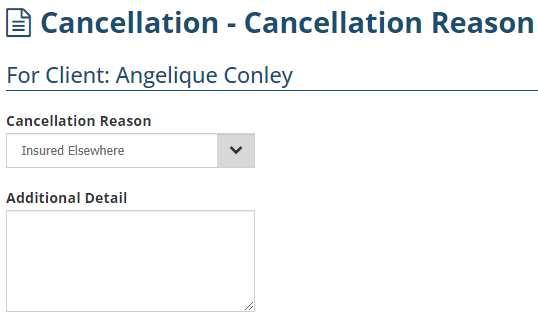 |
Effective Date
You'll notice that most fields on the Policy Summary page are not editable, except for the Brief Description and Effective Date fields.
Changes applied will apply to ALL transactions in the policy history.
Determines whether the cancellation is Mid-term or Full-term. For Manual policies, INSIGHT uses this field to calculate the credit amount generated by the cancellation. | 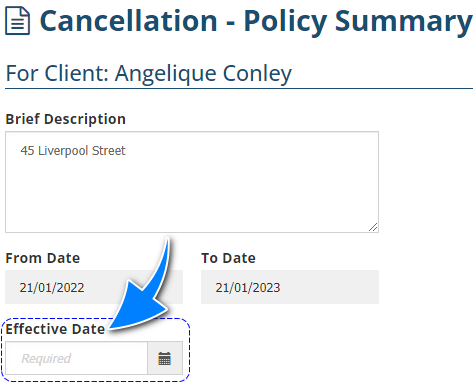 |

 Effective Date:
Was this article helpful?
That’s Great!
Thank you for your feedback
Sorry! We couldn't be helpful
Thank you for your feedback
Feedback sent
We appreciate your effort and will try to fix the article