Click to go to:
Introduction
When it comes time to close the claim (for example, once the claim has been paid out by the Insurer) you can update the claim's status to reflect this.
Close a Claim
 | Locate and edit the claim - refer to this article for more information. |
 | Change the Status to Finalised or Claim Withdrawn. |
 | Save your changes. |
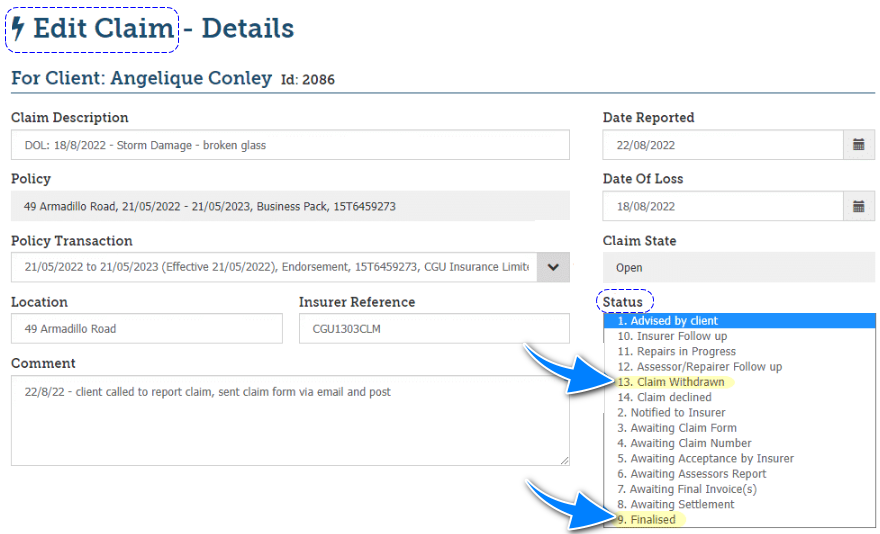
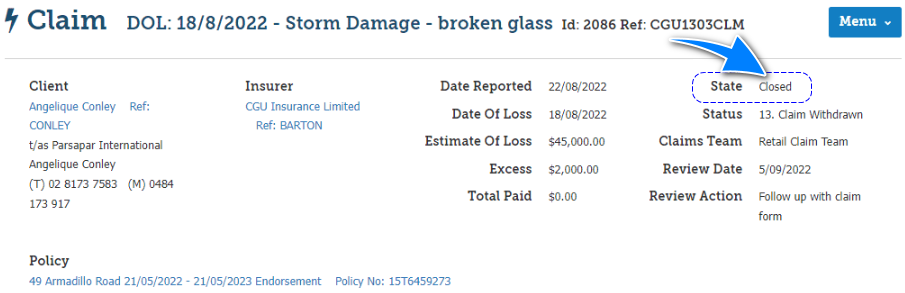
Updating the Status to Finalised or Claim Withdrawn will change the claim's State to Closed.
Re-Open a Claim
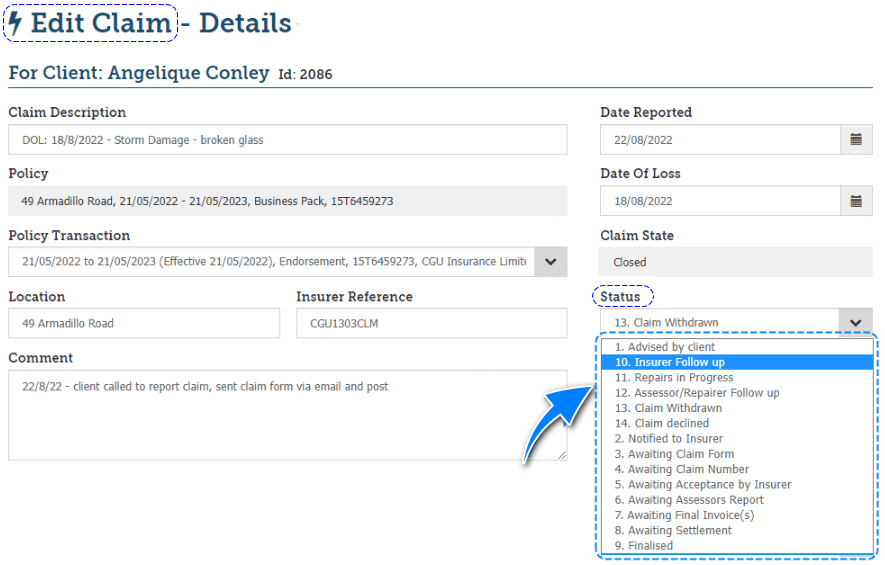
When there's a need to re-open a claim, follow the same steps but change the Status to the relevant status - this will change the claim's State to Open.
 | Locate and edit the claim - refer to this article for more information. |
 | Change the Status to any of the other statuses that best suit the situation. |
 | Save your changes. |
Was this article helpful?
That’s Great!
Thank you for your feedback
Sorry! We couldn't be helpful
Thank you for your feedback
Feedback sent
We appreciate your effort and will try to fix the article