Click to go to:
Introduction
When renewing a policy, keep in mind that it is recognised as a new contract of insurance for the future period. As such, you can add or remove features to the policy as needed.
Sample scenarios:
- Change insurers (Renewal Transfer)
- Change from an instalment policy to an annual policy and vice-versa
- Add or remove the split invoicing feature
- Import a Sunrise renewal download
How to Initiate a Renewal
 | Quick Links | 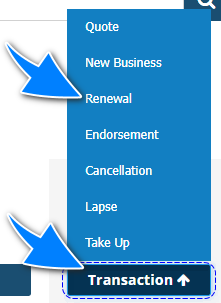 |
 | Client & Policy level | Locate the transaction from the list and under Actions, select Renew. |
 | Policy Transaction level | 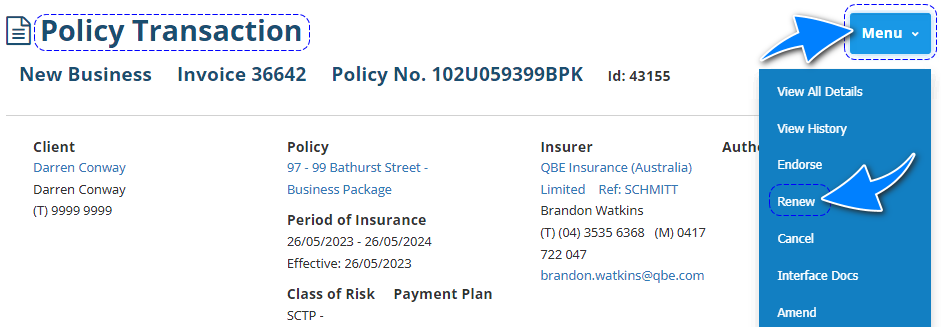 |
Renewal Wizard
All pages in the Renewal Wizard have their own articles discussing each page in detail. Select the respective links to learn about each page: | 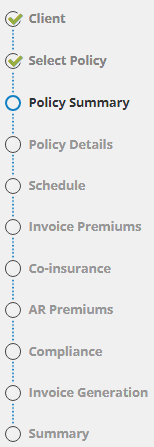 |
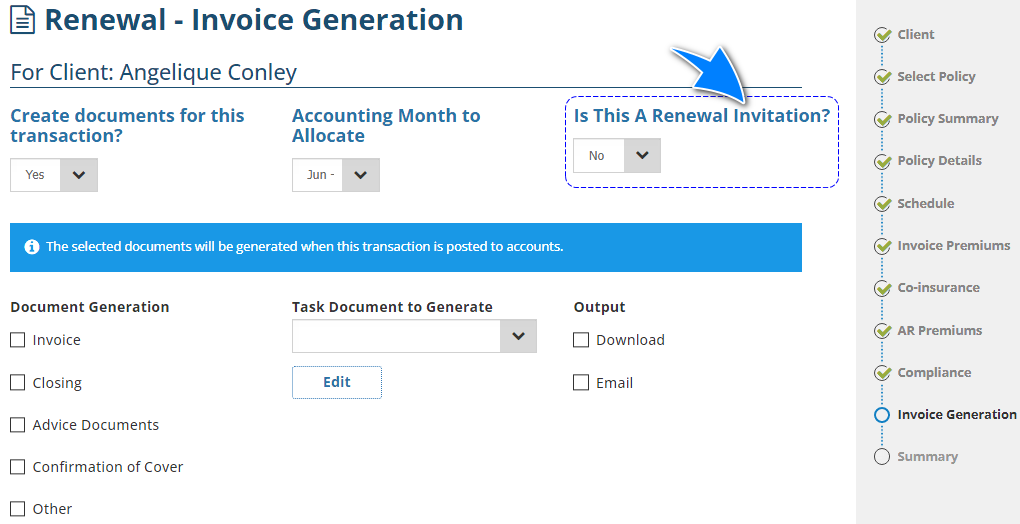
Renewal Invitation (Manual Policies ONLY)
A Renewal Invitation does not produce an invoice as it's a non-financial transaction, similar to a quotation. Regardless of whether you intend to create a Renewal Invoice or Renewal Invitation, you are required to go through the renewal process. The opportunity to create a Renewal Invitation is only available on the Invoice/Document Generation page of the wizard.
Was this article helpful?
That’s Great!
Thank you for your feedback
Sorry! We couldn't be helpful
Thank you for your feedback
Feedback sent
We appreciate your effort and will try to fix the article