Creating your Custom Email Signature
Your email signature is more than just contact details, it’s your digital business card. A well-crafted signature helps brokers:
- Build trust and professionalism with clients.
- Promote your brand with logos, colours, and links.
- Drive engagement by linking to external pages like your website, quote forms, or social media.
- Stand out with a personalised look that reflects your business style.
Whether you're a solo broker or part of a larger team, your signature is a simple way to make every email count.
Steadfast Apps gives you full control to design a signature that suits your brand. You can:
- Add images (e.g. logos, headshots)
- Insert buttons that link to external pages (e.g. quote request, contact forms)
- Configure background and container colours to match your branding
- Adjust text settings including font size, colour, and hyperlinks
- Use custom HTML/CSS if you're tech-savvy and want advanced styling
How to Set Up Your Signature in Steadfast Apps
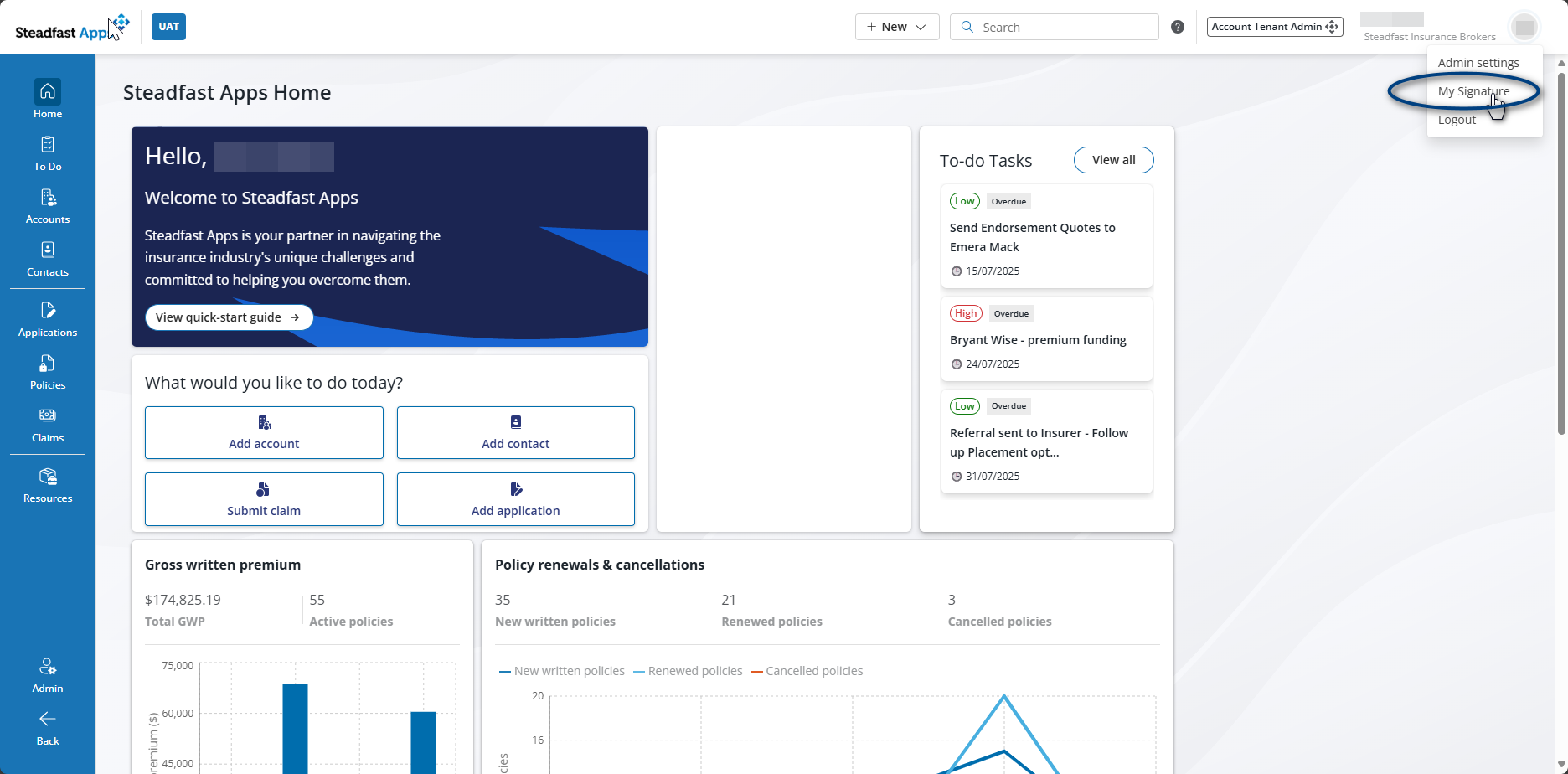
- Hover over your initials on the top left and a drop down will populate.
- Select My Signature
- This will launch the Signature Editor
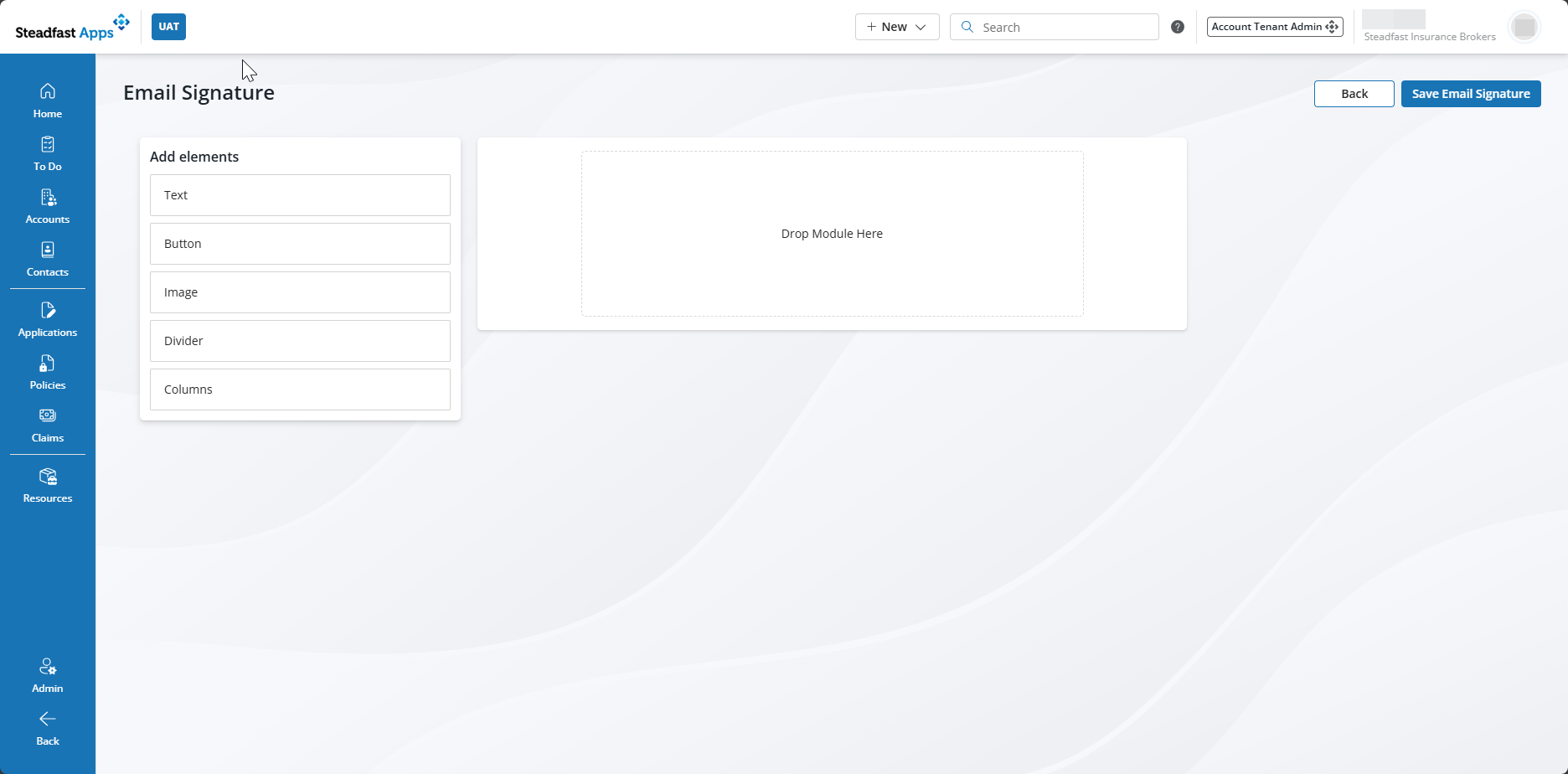
- Now the fun begins. The elements can easily be dragged and dropped into the centre panel, once you add an element, you click on it within the module to launch the editor on the right-side panel
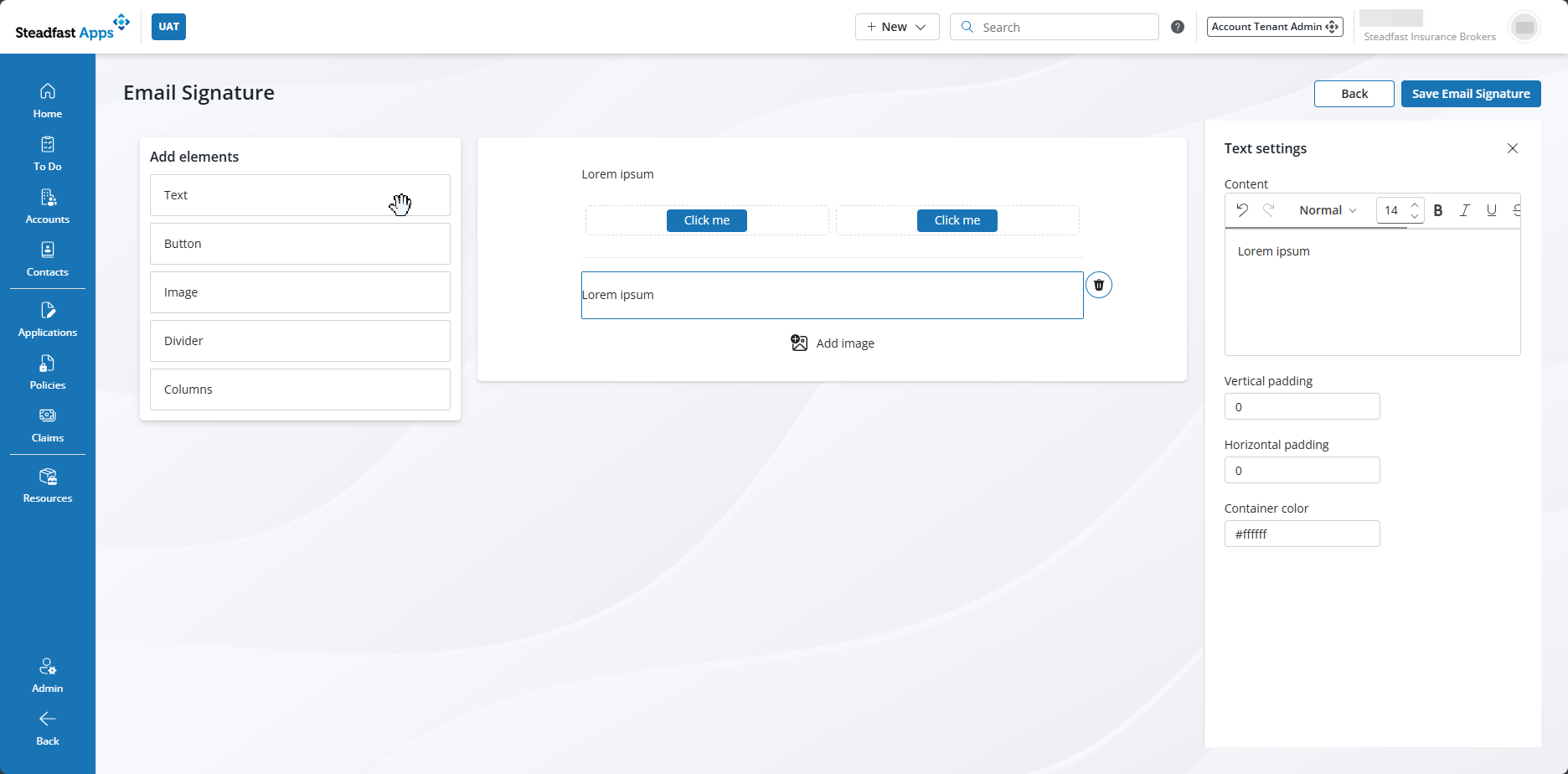
- Save and apply! Your signature will now appear in all outbound emails sent via Steadfast Apps beneath any configured email templates!

Something got you stumped?
Our team is here to help! We know change can be tricky, but we've got your back.

Contact our support team here and well get back to you shortly
Was this article helpful?
That’s Great!
Thank you for your feedback
Sorry! We couldn't be helpful
Thank you for your feedback
Feedback sent
We appreciate your effort and will try to fix the article