Stay in the Loop: Quick Insights
Here are some quick notes to keep in mind when adding or updating compliance records. Understanding these steps will help you stay prepared and avoid any surprises during processing.
Compliance Records Attach to Applications
- Compliance records are linked to the application, not the client.
- Ensure the application status is In Progress before making updates.
- Once the application is marked Completed, compliance records become view‑only & the Copy Compliance URL is greyed out (inactive)!

Plug & Play Records
Select only the compliance records relevant to the transaction - Example: For an endorsement, you don’t need an FSG.
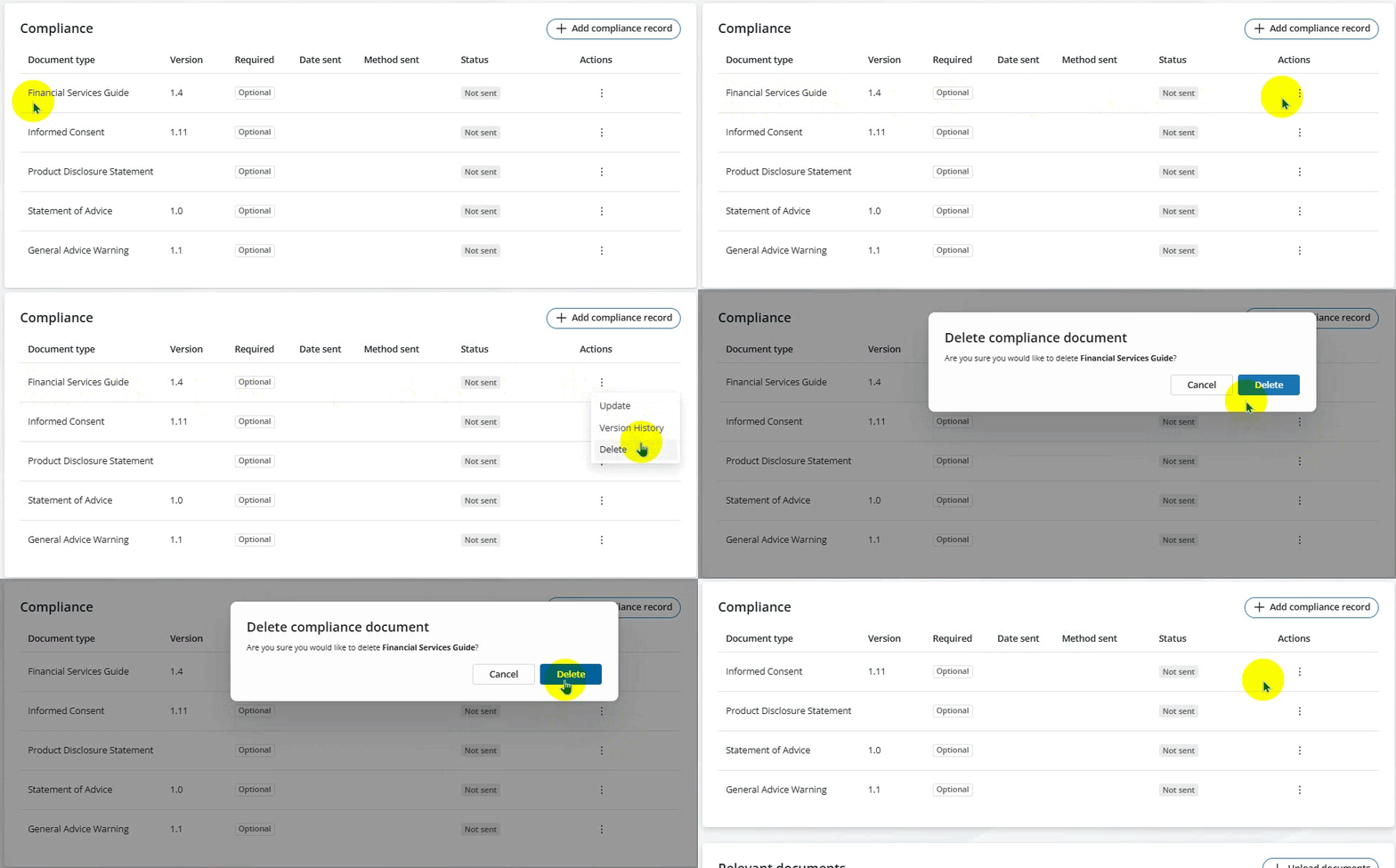
- You can link only one PDS to a compliance record - If multiple PDS documents are required, consult your administrators for best practice.
Updating to a New Version
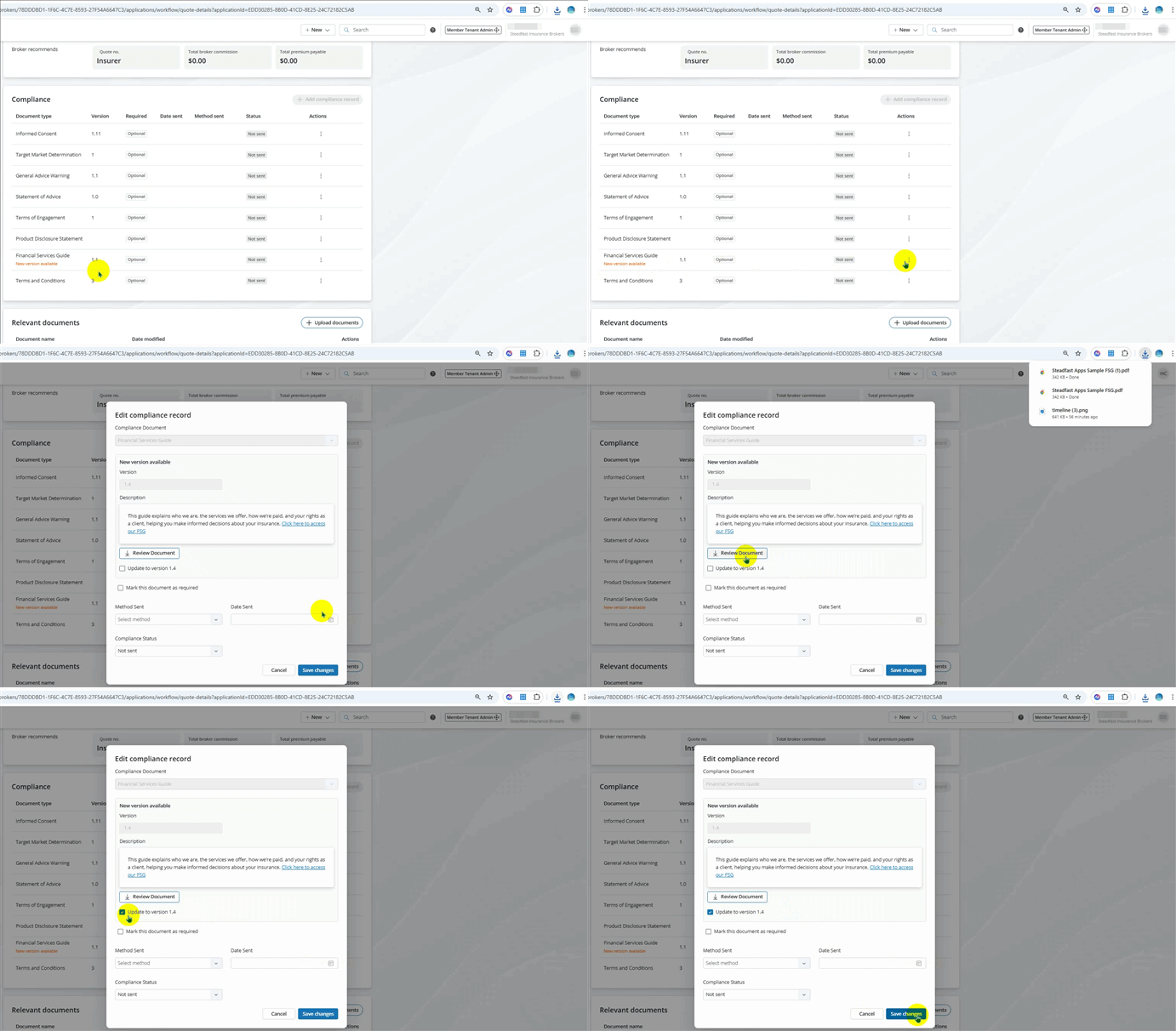
- When a new version is available, you’ll see red text under the record: “New version available.”
- Click Update to review the new document.
- Confirm by checking the prompt box to proceed with the update.
Key Takeaways
- Always work in In Progress status for updates.
- Choose compliance records based on the transaction type.
- Only one PDS can be linked per record.
- Watch for version alerts and update promptly.
Something got you stumped?
Our team is here to help! We know change can be tricky, but we've got your back.

Contact our support team here and well get back to you shortly
Was this article helpful?
That’s Great!
Thank you for your feedback
Sorry! We couldn't be helpful
Thank you for your feedback
Feedback sent
We appreciate your effort and will try to fix the article