The Smarter Way to Send Compliance Docs
Sending compliance documents has never been easier with Steadfast Apps. Clients receive a single, streamlined compliance URL. No duplicate attachments. Faster, cleaner communication with auto-updated compliance records.
Quick Refresher
|
Sending the Compliance URL
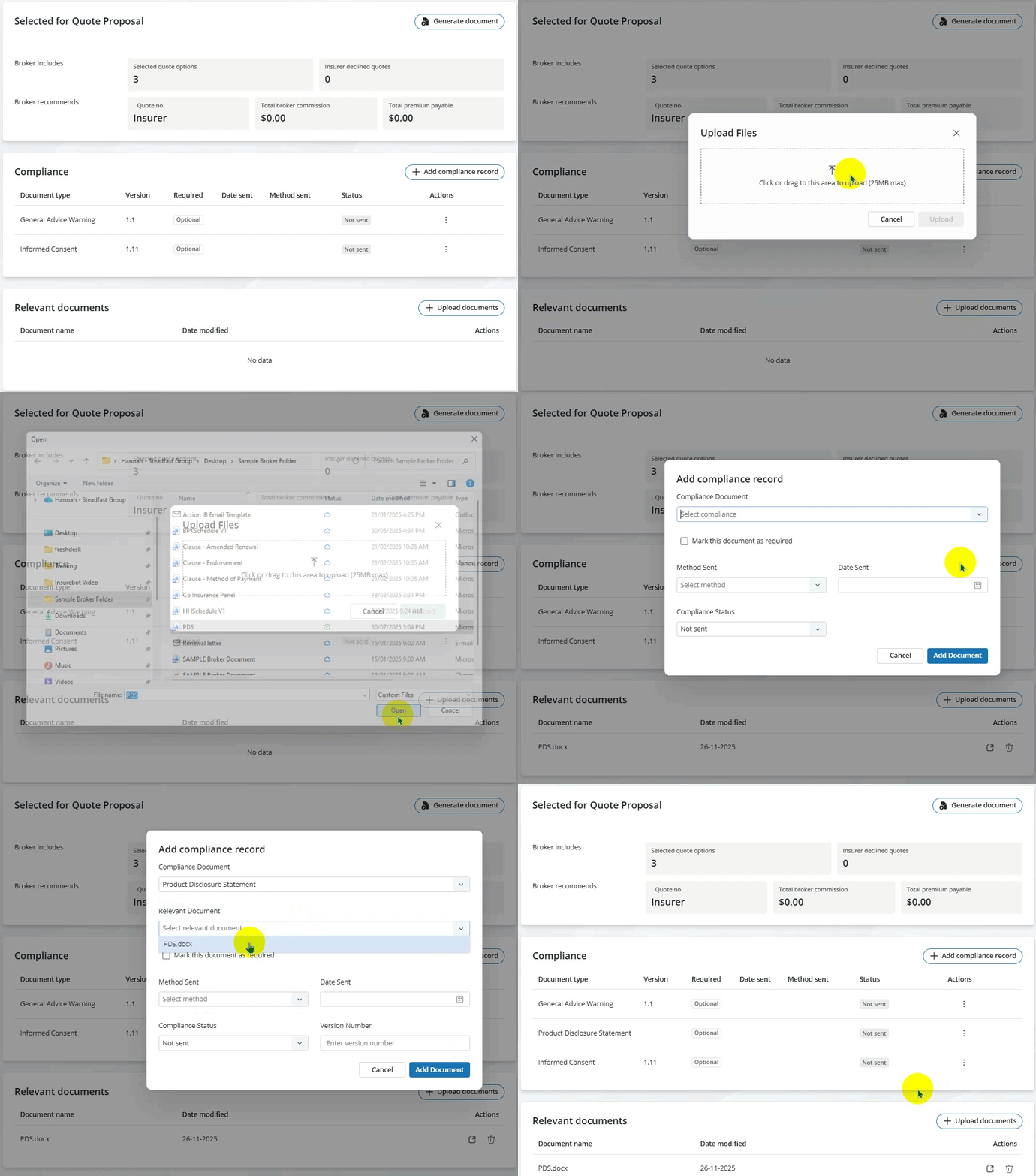
1. Update the compliance documents list on the application - add what you need / remove what you don't need!
NOTE: When sending a PDS or TMD, after adding to Relevant Documents, make sure to link it to the Compliance record as well.
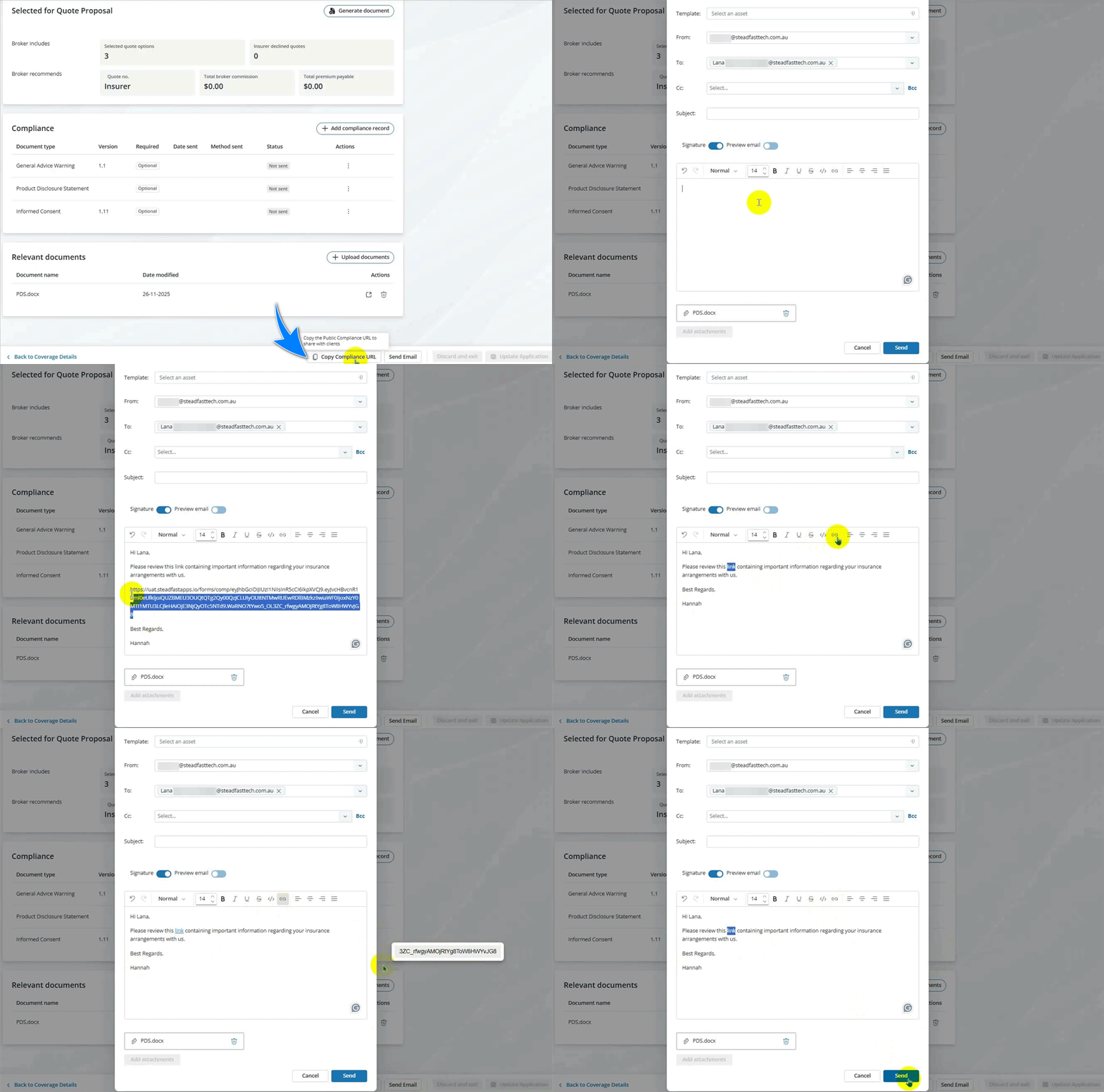
2. Click Copy Compliance URL, then Send Email.
In the email pop-up:
|
3. Click Send.
Click Details for a quick visual reference on how it's done:
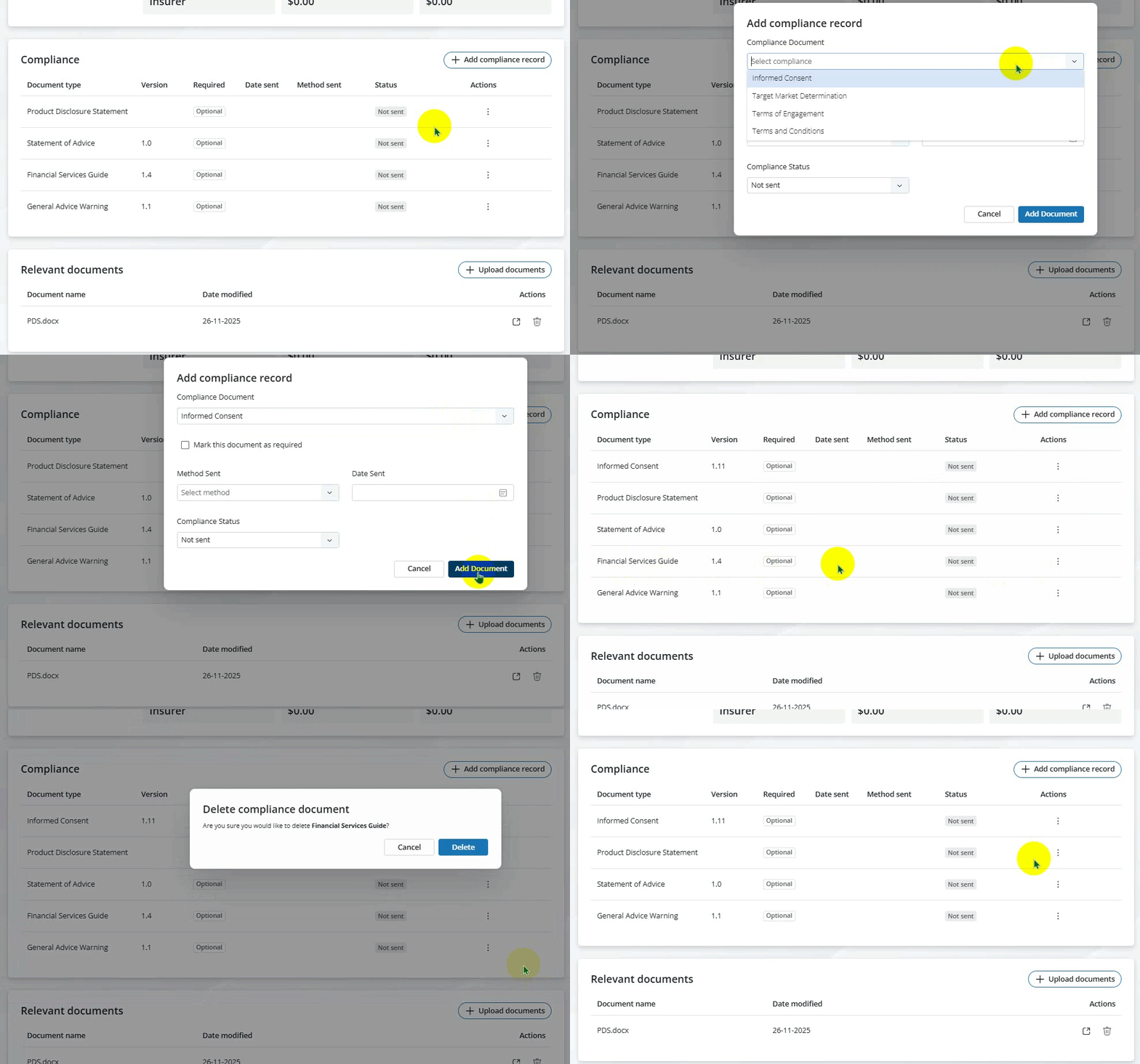
Adding/Removing Compliance Records
Adding a PDS
Pasting/Hyperlinking the Compliance URL
Making Changes to Compliance Records
If you update compliance records, there is no need to resend the Compliance URL.
The Compliance URL automatically reflects the latest records, ensuring your recipients always have the most current information.
Something got you stumped?
Our team is here to help! We know change can be tricky, but we've got your back.

Contact our support team here and well get back to you shortly
Was this article helpful?
That’s Great!
Thank you for your feedback
Sorry! We couldn't be helpful
Thank you for your feedback
Feedback sent
We appreciate your effort and will try to fix the article