Click to go to:
How to Initiate a New Business
How to Initiate a New Business
Initiating a quote can be done in 3 ways:
 Quick Links Quick Links | On the Home page, hover over the Transaction icon and select New Business. | 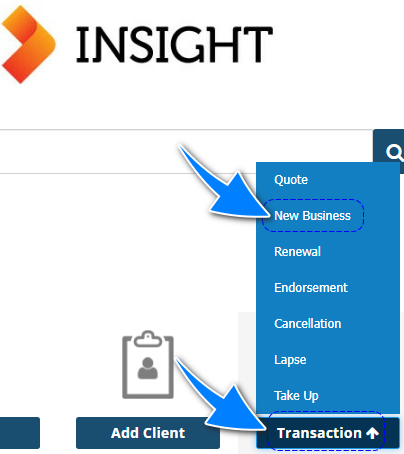 |
 Actions menu Actions menu | On the Add section of the menu, select New Business. | 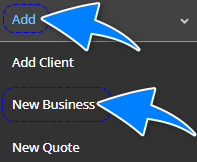 |
 Client profile Client profile | When viewing the Client profile, ensure you're in the Policy Transactions tab and select Add New Business. | 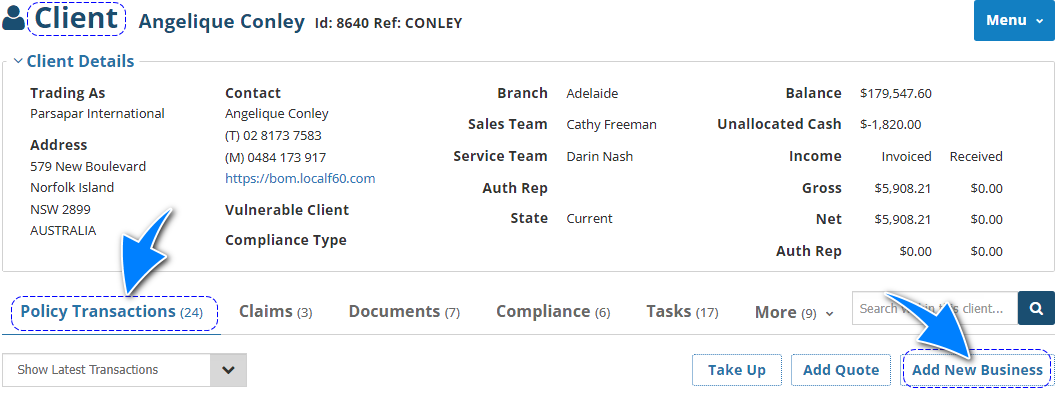 |
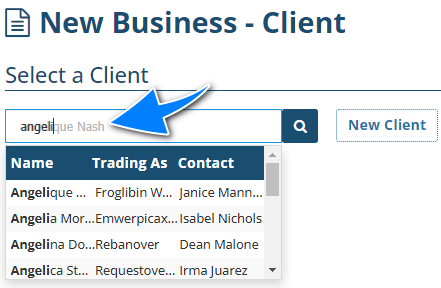
NOTE: When initiating via options 1 or 2, you will be prompted to enter a client name or to add the new client, if currently not in INSIGHT. If the client name is in the system, you can start typing the client's name and INSIGHT will return all matching results, as shown below:
New Business Wizard
All pages in the New Business Wizard have their own articles discussing each page in detail. Select the respective links to learn about each page: | 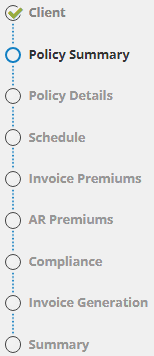 |
NOTE: When a feature is activated in the Policy Summary page, the New Business wizard will automatically include the specific page for that feature, for example: Split Invoicing, Co-insurance, Instalments, SCTP, Sunrise.
Was this article helpful?
That’s Great!
Thank you for your feedback
Sorry! We couldn't be helpful
Thank you for your feedback
Feedback sent
We appreciate your effort and will try to fix the article