Click to go to:
Introduction
Take Up transactions are only available with a Manual interface and are used to create a non-financial entry of a policy in INSIGHT.
The most common use of a Take Up is for managing policies received through a Letter of Appointment (LOA). Another brokerage manages policies received through an LOA until the current policy period is complete. Till then you can add the policy to INSIGHT as a Take Up so that all policy information is recorded and ready for renewal when it's due.
 | Once a policy has been taken up, it can be Renewed, Lapsed, Cancelled, or Copied. |
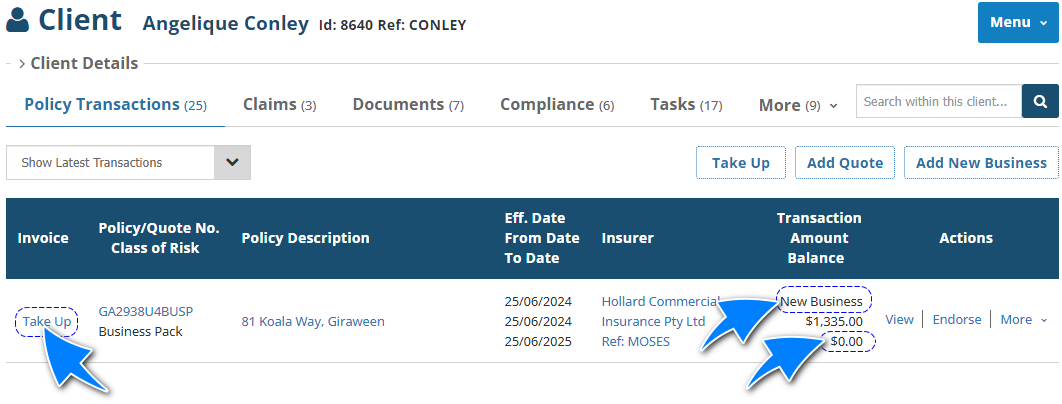
 | Instead of an invoice number, Take Up transactions will have the text Take Up displayed. |
 | The transaction type of a Take Up is determined by the Included or reported as field. |
 | The balance of a Take Up is $0.00 as it is a non-financial transaction. |
How to Initiate a Take Up
 | Quick Links | 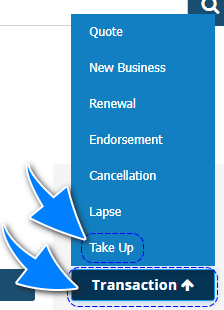 |
 | Side Menu | 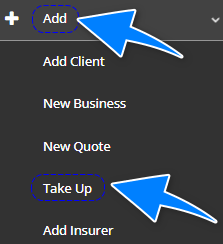 |
 | Client level |  |
Take Up Wizard
The following pages of the Take Up Wizard have their own articles discussing each page in detail. Select the respective links to learn about each page: | 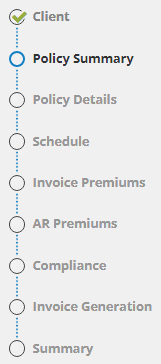 |
Features specific to a Take Up are the following:
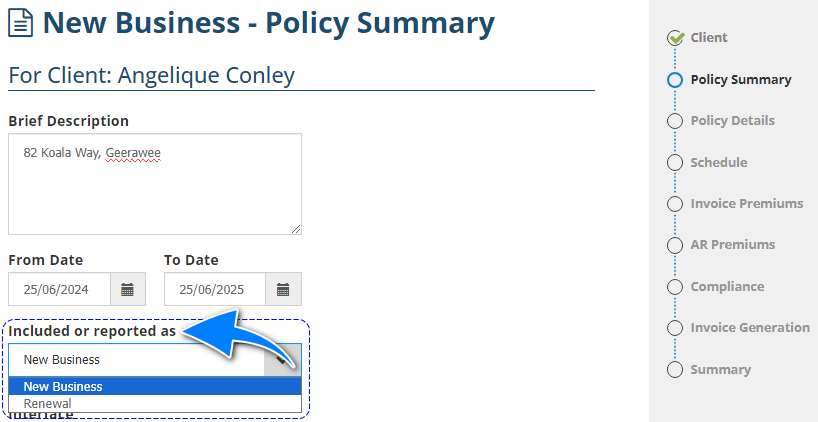
- From/To Date and Included or reported as fields in the Policy Summary page
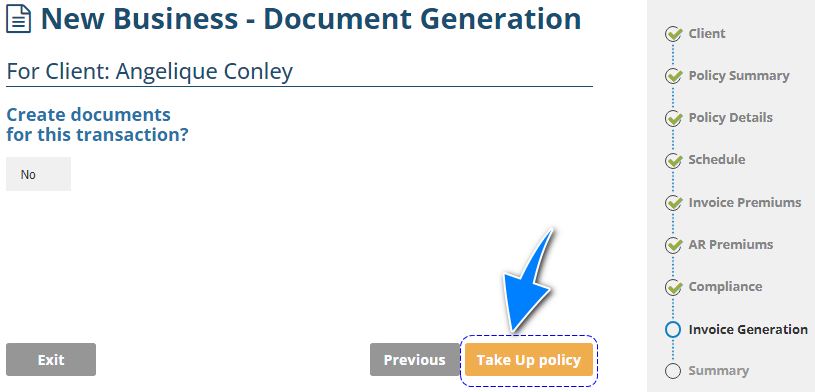
- Create documents for this transaction and Take Up Policy in the Document Generation page
Aside from these specific features, enter policy information into the wizard as normal so that it is ready for renewal when the policy is due.
From Date & To Date
It is important to enter the CURRENT period of insurance to pick up the renewal at the correct renewal date. For example: The current period of insurance is 1/5/2023 – 2024, but the period entered in INSIGHT was 1/5/2024 to 1/5/2025 because we are currently in the year 2024. This will result in the policy being renewed on 1/5/2025 as it is picked up in the renewals in 2025 instead of 2024.
Included or reported as
This field determines how the policy is identified in INSIGHT. The options for this field are Renewal or New Business:
- New Business - proceeds with using a New Business transaction wizard.
- Renewal - proceeds with using a Renewal transaction wizard.
Create documents for this transaction?
This is a non-editable field and defaults to No. A Take Up is used to create an entry of an existing policy, therefore it already has documents from another system/brokerage and does not need INSIGHT to generate new documents.
Take Up Policy
Instead of Post to Accounts, it is replaced by Take Up policy as there is nothing to post to accounts. A Take Up is a non-financial transaction and does not affect INSIGHT's accounting.
Was this article helpful?
That’s Great!
Thank you for your feedback
Sorry! We couldn't be helpful
Thank you for your feedback
Feedback sent
We appreciate your effort and will try to fix the article